

 GPS & GNSS
 Lidar scanning
 Total Station
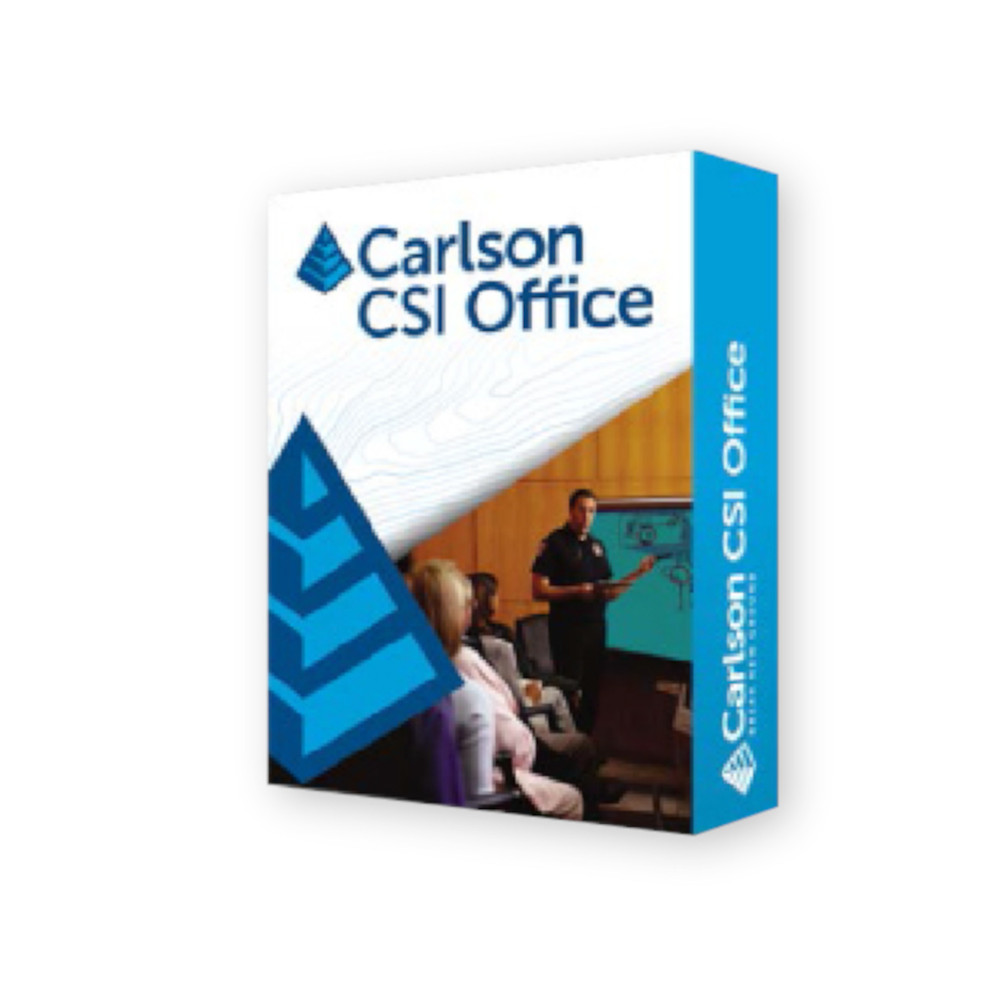
Carlson CSI Office Forensic Crash and Crime Scene Mapping Software
Get the best price for your setup
Contact our experts for the best possible price and configuration.
- Fast response
- Expert configuration advice
- No overpaying for features you do not need
Carlson CSI Office is professional forensic diagramming and accident reconstruction software for police departments, crash investigators and reconstruction consultants. It turns measurements collected at traffic accidents and crime scenes into organised CAD drawings that can be reviewed, edited, documented and presented in the office.
Quick Import helps move field measurements directly into a scene drawing, while the Points Editor and Field-to-Finish tools make it easier to correct coordinates and convert coded field data into usable linework. An extensive vehicle specification database, reconstruction tools, 3D Room Builder, image placement and dedicated scene symbols help investigators create clear drawings without relying on general-purpose CAD tools for every step.
Carlson CSI Office Highlights
| Software type | Crash reconstruction and crime scene mapping software |
|---|---|
| Primary users | Police departments state police investigators and accident reconstruction consultants |
| Field data workflow | Quick Import Points Editor and Field to Finish processing |
| Vehicle tools | Extensive vehicle specification database and accident reconstruction functions |
| Scene diagramming | Room Builder body outline scene symbols images hatches and colour fills |
| 3D capabilities | 3D viewing and room scene creation |
| Field integration | Works with Carlson CSI Mobile and supported field data collectors |

Valued customers:










Find RTK Networks
Search NTRIP providers and connect to reliable RTK correction services.
Description
Carlson CSI Office Crash Reconstruction and Crime Scene Mapping Software
Carlson CSI Office is specialised office software for investigators who need to turn measured accident or crime scene data into clear, accurate and organised drawings. It is designed around the working methods of law-enforcement agencies and accident reconstruction professionals rather than requiring investigators to build every scene manually with general-purpose CAD software.
The software is suitable for city and county police departments, state police, traffic investigation units and independent accident reconstruction consultants. Measurements collected in the field can be brought into the office, checked and developed into drawings for analysis, reporting and presentation.
Move Field Measurements Directly into the Scene Drawing
CSI Office is designed to reduce the amount of repetitive drafting required after investigators leave the scene. Its Quick Import workflow brings field data into the software and creates the basis of the scene drawing in one process. For teams recording many measured points at a collision or investigation site, this provides a more practical starting point than manually recreating every measurement in CAD.
The Points Editor provides a spreadsheet-style way to review and modify point information. Changes to point data can be reflected in the drawing, making it easier to correct descriptions, coordinates or other recorded information while reviewing the investigation back in the office.
Field to Finish for Accident and Crime Scene Data
Field-to-Finish functionality helps convert coded measurements into useful drawing elements. Investigators can work with point attributes and coordinate files and use field descriptions to organise the resulting scene drawing. This is especially useful for teams that use consistent field codes for road edges, lane markings, signs, vehicles, objects and other measured features.
For departments using Carlson CSI Mobile, this creates a connected workflow between measurements taken at the scene and the finished office drawing. Field crews can concentrate on collecting the required evidence and geometry while CSI Office handles much of the subsequent drawing preparation.
Vehicle Database for Traffic Accident Reconstruction
Traffic accident investigation is one of the main applications for Carlson CSI Office. The software includes an extensive vehicle specification database that investigators can use when creating scaled vehicle representations and reconstruction drawings.
Vehicle information can reduce the amount of geometry that must be created manually when documenting passenger vehicles involved in an incident. Combined with measured field positions, the vehicle tools help investigators build a clearer representation of where vehicles were located and how they relate to roads, markings and other objects at the scene.
Accident Reconstruction Tools
CSI Office includes a dedicated reconstruction toolkit for working with traffic accident information. This environment is intended for investigators and consultants who need more than a simple site sketch and want to use measured scene data as part of the reconstruction process.
The software supports reconstruction work involving multiple vehicles and provides reporting tools for documenting calculations and results. This makes the completed CAD scene useful not only as a drawing but also as part of a broader accident investigation workflow.
Create Clear Forensic Scene Drawings
The Design Palette gives users quick access to frequently used drawing functions and can be customised around the commands needed for a particular investigation workflow. Symbols, images, hatches and colour fills can be added to make different scene features easier to recognise.
This can be useful when a technical drawing needs to communicate more than coordinates alone. Road surfaces, structures, vehicles, objects and other features can be visually differentiated so another investigator, engineer or reviewer can understand the layout of the scene more quickly.
3D Room Builder for Indoor Crime Scenes
CSI Office is not limited to road accidents. The Room Builder is designed for indoor scene documentation and lets investigators create walls, doors and windows and inspect the resulting room in 3D. Buildings can also be developed from linework based on points measured in the field.
Walls, floors and other room elements can be given different colours to help recreate the layout of the investigated area. For an indoor crime scene this provides a more useful spatial representation than a basic two-dimensional sketch alone, particularly when the relationship between objects and room geometry is important.
Body Outline and Scene Symbol Tools
A dedicated Body Outline function allows an investigator to place and adjust a human body outline within the mapped scene. The position of the head, arms and legs can be changed so the diagram better reflects the documented position at the time the scene was measured.
CSI tools also provide symbols for common urban and scene features. These drawing aids help investigators create readable plans while keeping measured geometry and descriptive scene information together in the same drawing.
Add Photographs to the Mapped Scene
Photo images can be placed on the mapped accident or crime scene. This gives investigators a way to combine measured geometry with visual documentation instead of keeping the drawing and scene photographs completely separate.
Image placement can be useful when preparing a scene for internal review, reconstruction work or presentation because the drawing can show where relevant visual information relates to the measured environment.
Reporting and Investigation Documentation
CSI Office includes tools for producing investigation reports and accident narratives. Carlson’s documentation describes report output to common office formats including PDF, allowing calculated information and written documentation to be prepared alongside the scene drawing.
This helps keep measurement, reconstruction, drawing and reporting tasks within a more consistent workflow. Investigators can use the CAD drawing for spatial information while preparing supporting documentation for review or case records.
Works with Carlson CSI Mobile
CSI Office is the office component of Carlson’s crime and accident investigation workflow. Carlson CSI Mobile is used for field data collection, while CSI Office is used to process, analyse and map that information after investigators return from the scene.
CSI Mobile can record measured points and linework with compatible surveying equipment and data collectors. Once transferred to CSI Office, the same information can be developed into a more complete scene drawing without starting again from an empty CAD file.
Support for Professional Field Measurement
Accident reconstruction depends on knowing where relevant objects were located, so CSI workflows can be used with professional field measurement equipment. Carlson documentation describes support for field data collectors and data collection software, including Carlson CSI Mobile and Carlson survey technology.
This is particularly useful for reconstruction teams that use total stations or GNSS equipment to establish accurate scene geometry. Measured road edges, vehicle positions, skid marks, signs, structures and other evidence can be carried through to the office drawing for further investigation.
Built In CAD Environment
Carlson CSI Office includes an IntelliCAD-based CAD environment, giving investigators drawing and editing tools without requiring them to build their entire workflow around separate general-purpose drafting software. CAD functions are combined with CSI-specific commands developed for accident and crime scene documentation.
For an experienced CAD user this provides familiar drawing concepts, while investigators who primarily work with forensic scenes can concentrate on the specialised CSI tools rather than learning an unrelated engineering design package.
Who Uses Carlson CSI Office
Carlson CSI Office is primarily intended for organisations and professionals responsible for measured forensic scene documentation and traffic accident reconstruction.
- City and county police departments
- State and regional police organisations
- Traffic collision investigation teams
- Accident reconstruction specialists
- Forensic scene mapping professionals
- Independent reconstruction consulting firms
Its main advantage is the combination of field measurement data, forensic-specific CAD tools and reconstruction functions in one office workflow. Instead of treating surveyed points, photographs, vehicle data and the final drawing as unrelated information, CSI Office provides tools for bringing them together into a single mapped scene.
Choosing a Carlson CSI Workflow
The appropriate setup depends on how your team measures scenes in the field and how the resulting data needs to be processed in the office. A department using Carlson CSI Mobile can create a direct field-to-office workflow, while reconstruction consultants can use CSI Office to process data collected with compatible survey equipment and data collectors.
Global GPS Systems can help determine how Carlson CSI Office fits with your existing field equipment, data collection workflow and accident reconstruction requirements. This is particularly useful when combining the software with total stations, GNSS equipment, field controllers or Carlson CSI Mobile for a complete scene measurement and office processing setup.
Datasheets & Manuals
Specifications
Carlson CSI Office Specifications
Software Overview
| Product name | Carlson CSI Office |
|---|---|
| CSI meaning | Carlson Software Investigations |
| Product type | Office-based forensic mapping, crash reconstruction and crime-scene diagramming software |
| Primary applications | Traffic accident reconstruction, crash-scene mapping, crime-scene mapping, forensic diagramming, evidence mapping and scene documentation |
| Typical users | City and county police departments, state police, law-enforcement agencies and professional accident-reconstruction consultants |
| Office workflow | Processes field measurements and converts collected scene data into CAD-based forensic drawings, reports and 3D scene visualizations |
| Companion field software | Carlson CSI Mobile |
| 3D scene viewing | Supported |
| Integrated CAD environment | Yes |
CAD Engine
| Built-in CAD | IntelliCAD |
|---|---|
| Documented IntelliCAD platform | IntelliCAD 8.1 in Carlson's published CSI Office technical overview |
| Separate CAD package required | No; the documented CSI Office configuration includes the IntelliCAD CAD engine |
| 2D forensic drawing | Supported |
| 3D visualization | Supported |
| CAD-based scene editing | Supported |
Vehicle Database and Crash Reconstruction
| Vehicle specification database | Integrated vehicle specification database for accident reconstruction |
|---|---|
| Vehicle database content | Vehicle dimensions, makes and models for scale-based crash-scene reconstruction |
| Documented database coverage | Carlson's published CSI Office technical overview documents vehicle data through 2015; database content may depend on installed software version |
| Multiple vehicles | Supports an unlimited number of vehicles within the documented Reconstruction Toolkit |
| Passenger vehicle data | Included within the CSI Accident Reconstruction Toolbox |
| Crash-scene reconstruction | Supported |
| Vehicle placement | Vehicles can be placed within mapped accident scenes using vehicle specification data and measured field information |
| Calculated angular momentum reporting | Supported by the documented reconstruction tools |
Quick Import and Field Data Processing
| Quick Import | Imports field data and creates a scene drawing in a streamlined workflow |
|---|---|
| Automatic drawing creation | Supported through Quick Import |
| Field data download | Supported |
| Coordinate data processing | Supported |
| Coordinate file merging | Supported |
| Point attribute editing | Supported |
| Field-to-Finish processing | Supported from within the Measurements Palette |
| Field-to-office workflow | Designed to take measured accident or crime-scene data from field collection through office analysis, drawing and reporting |
Points Editor and Measurements Palette
| Points Editor | Spreadsheet-style point editor |
|---|---|
| Point information editing | Supported |
| Graphical updates | Point information changes are reflected in the scene drawing |
| Point attributes | Can be modified from the Measurements Palette |
| Coordinate file management | Coordinate files can be merged |
| Field-to-Finish access | Available from the Measurements Palette |
| Spreadsheet interface | Used for structured review and editing of measured point data |
Design Palette and Drawing Tools
| Design Palette | Integrated customizable tool and command palette |
|---|---|
| Custom function groups | Supported |
| Custom command lists | Supported |
| Symbol placement | Supported |
| Image placement | Supported |
| Hatch placement | Supported |
| Color fills | Supported |
| Custom user symbols | Supported |
Room Builder
| Room Builder | Integrated indoor scene and building-layout creation tool |
|---|---|
| Wall creation | Supported |
| Door creation | Supported |
| Window creation | Supported |
| 3D room viewing | Supported |
| Building creation from field points | Buildings and walls can be created from linework or points measured at the scene |
| Wall color | Customizable to represent the scene |
| Floor color | Customizable to represent the scene |
| Door color | Customizable to represent the scene |
| Crime-scene application | Suitable for creating scaled interior room and building diagrams from measured scene data |
Body Outline Tools
| Body Outline function | Integrated editable human body outline for forensic scene diagrams |
|---|---|
| Outline style | Forensic / chalk-outline style body figure |
| Body positioning | Adjustable to match documented scene position |
| Arm positioning | Adjustable |
| Leg positioning | Adjustable |
| Head positioning | Adjustable |
| Scene anatomy matching | Body figure can be modified to represent the documented position and anatomy of the scene |
Photography and Image Placement
| Scene photograph placement | Supported |
|---|---|
| Mapped image placement | Photo images can be placed within the mapped accident or crime scene |
| Design Palette image access | Images can be inserted using the Design Palette workflow |
| Combined CAD and photographic documentation | Supported |
Reporting
| PDF report output | Supported |
|---|---|
| Microsoft Word report export | Supported by the documented Reconstruction Toolkit |
| Accident narrative editor | Integrated word-processing workflow for preparing accident narratives |
| Report customization | Supported |
| Custom report tab labels | Supported |
| Custom user symbols in reports / drawings | Supported |
| Calculated Angular Momentum Report | Available as part of documented accident-reconstruction functionality |
Scene Reconstruction Capabilities
| Traffic crash scenes | Supported |
|---|---|
| Crime scenes | Supported |
| Interior scenes | Supported using Room Builder |
| Exterior scenes | Supported |
| Vehicle reconstruction | Supported using integrated vehicle specification data |
| Multiple-vehicle incidents | Supported |
| Measured scene points | Can be imported, reviewed and incorporated into scene drawings |
| Field-measured building geometry | Can be converted into walls and room geometry |
| 3D scene review | Supported |
Field-to-Finish Workflow
| Field-to-Finish | Integrated |
|---|---|
| Field data conversion | Measured scene data can be converted into CAD entities and scene drawings |
| Measurements Palette | Provides access to point editing, coordinate-file management and Field-to-Finish functions |
| Point attribute modification | Supported |
| Coordinate file merge | Supported |
| Quick Import integration | Field data can be imported and converted into an initial scene drawing in a streamlined operation |
Data Collector and Field Software Compatibility
| Carlson CSI Mobile | Supported companion field software |
|---|---|
| Carlson SurvCE | Supported by the documented CSI Office data-collector workflow |
| Third-party data collectors | Carlson documentation states support for major brands of survey data collectors |
| Field measurement import | Supported |
| Coordinate file import | Supported |
| Combined Mobile / Office workflow | CSI Mobile is used to collect and map evidence in the field; CSI Office provides office-based analysis, editing, reconstruction and final scene drawing |
Editing and Error Protection
| Undo | Multiple undo operations supported |
|---|---|
| Redo | Multiple redo operations supported |
| Blunder protection | Multiple undo and redo operations provide protection against unintended editing changes |
| Point correction | Point information and attributes can be edited after import |
| Drawing correction | CAD-based scene geometry can be edited as required during reconstruction |
Forensic Diagram Elements
| Element | Support | Application |
|---|---|---|
| Vehicles | Yes | Scale-based traffic crash reconstruction using vehicle specifications |
| Measured points | Yes | Evidence and scene-position documentation |
| Walls | Yes | Indoor crime-scene and building reconstruction |
| Doors | Yes | Room and building diagrams |
| Windows | Yes | Room and building diagrams |
| Body outlines | Yes | Documentation of body position within a scene |
| Photographs | Yes | Image placement within mapped scenes |
| Hatches | Yes | Graphical scene representation |
| Color fills | Yes | Graphical scene representation and differentiation |
| Custom symbols | Yes | User-defined forensic and scene annotation |
Output and Documentation
| CAD scene drawings | Supported |
|---|---|
| 2D diagrams | Supported |
| 3D scene visualization | Supported |
| PDF reports | Supported |
| Word report export | Supported in the documented Reconstruction Toolkit |
| Accident narratives | Can be prepared using the integrated narrative word-processing workflow |
| Scene photographs | Can be incorporated into mapped scene documentation |
Key Integrated Tools
| Tool | Function |
|---|---|
| Quick Import | Imports measured field data and rapidly creates an initial scene drawing |
| Points Editor | Spreadsheet-based review and editing of point information |
| Measurements Palette | Point attributes, coordinate-file merging and Field-to-Finish processing |
| Design Palette | Customizable commands, images, symbols, hatches and color fills |
| Room Builder | Creates walls, doors, windows and 3D room geometry |
| Body Outline | Creates and positions editable forensic body outlines |
| Image Placement | Places photographs within mapped accident and crime scenes |
| Reconstruction Toolkit | Provides vehicle-based accident reconstruction and reporting functions |
Deployment and Compatibility Notes
| Desktop software | Yes |
|---|---|
| CAD installation | Documented configuration includes IntelliCAD built in |
| Documented CAD version | IntelliCAD 8.1 |
| Operating system requirements | Version-specific; confirm the operating system supported by the supplied CSI Office build before installation |
| Hardware requirements | Version-specific; verify requirements for the supplied software build and IntelliCAD engine before deployment |
| Vehicle database revision | May vary with installed CSI Office release and database update |
Specifications and package contents may vary by configuration, region or manufacturer update. Always check the current configuration before ordering.
Reviews (0)
Only logged in customers who have purchased this product may leave a review.
FAQ
Carlson CSI Office FAQ
Carlson CSI Office & Forensic Workflows
What is Carlson CSI Office?
Carlson CSI Office is CAD-based forensic diagramming software designed for crime scene mapping and traffic accident reconstruction. It allows investigators and reconstruction specialists to import field measurements, create detailed scene drawings, edit measured points, add forensic symbols and vehicle information, and examine scenes in 2D and 3D.
Who is Carlson CSI Office designed for?
Carlson CSI Office is designed for law enforcement agencies, city and county police departments, state police, traffic investigation units, forensic teams and independent consultants involved in accident reconstruction or crime scene documentation.
Can Carlson CSI Office be used for both traffic accidents and crime scenes?
Yes. Carlson CSI Office is designed for both traffic accident reconstruction and crime scene diagramming. Its tools can be used to map roads, vehicles, evidence locations and collision scenes as well as indoor and outdoor crime scenes containing walls, doors, windows, evidence points and body locations.
What is the difference between Carlson CSI Office and CSI Mobile?
Carlson CSI Mobile is intended primarily for collecting and drawing scene information in the field, while CSI Office is used for further analysis, editing and forensic diagramming on an office computer. Data collected in CSI Mobile can be transferred to CSI Office so the scene can be refined and prepared after fieldwork is complete.
Does Carlson CSI Office collect measurements directly at the scene?
CSI Office is primarily the office component of the Carlson forensic workflow. Field measurements are normally collected with CSI Mobile and compatible surveying equipment, then transferred to CSI Office for editing, diagramming and analysis.
Does Carlson CSI Office automatically determine how an accident or crime occurred?
No. CSI Office provides tools for accurately mapping, visualising and documenting evidence and measured scene geometry. Investigators and reconstruction specialists use that information together with other evidence and accepted reconstruction methods to develop their conclusions.
Traffic Accident Reconstruction & Vehicle Diagrams
Can Carlson CSI Office be used for traffic accident reconstruction?
Yes. Traffic accident reconstruction is one of the primary applications of Carlson CSI Office. Investigators can import measured scene data, create detailed roadway and vehicle diagrams, position evidence and vehicles, edit scene geometry and use 3D viewing to better understand the spatial relationships within a collision scene.
Does Carlson CSI Office include a vehicle database?
Yes. Carlson CSI Office includes an extensive vehicle specification database. This helps investigators create diagrams using vehicle information that corresponds more closely to the actual makes and models involved in an incident instead of relying only on generic vehicle symbols.
Why is the vehicle specification database useful for crash reconstruction?
Using vehicle-specific dimensions can produce a more representative scene diagram. This is useful when showing vehicle locations, orientations, collision geometry and relationships between vehicles, roadway features and measured evidence.
Can measured accident scene points be imported into Carlson CSI Office?
Yes. Carlson CSI Office includes a Quick Import function designed to bring field data into the software and create the initial scene drawing in a streamlined workflow. This reduces the amount of manual drafting required after measurements have been collected at the scene.
Can I edit accident scene measurements after importing them?
Yes. The Points Editor allows point information to be reviewed and edited. Changes made to point data are reflected in the drawing, making it easier to correct descriptions, coordinates or other point information while developing the finished scene diagram.
Can traffic accident scenes be viewed in 3D?
Yes. Carlson CSI Office provides 3D viewing capabilities that allow investigators to examine a reconstructed scene from different viewpoints. This can make complex spatial relationships easier to understand than using a 2D plan view alone.
Crime Scene Diagramming & 3D Tools
Can Carlson CSI Office create indoor crime scene diagrams?
Yes. The Room Builder function is specifically designed for creating indoor environments. Users can construct walls, doors and windows and then view the resulting room geometry in 3D.
Can Room Builder create walls from measurements collected in the field?
Yes. Walls can be created from linework measured at the scene. This allows surveyed or measured room geometry to be converted into a more complete indoor scene representation inside CSI Office.
Can walls, floors and other room elements be customised?
Yes. Carlson CSI Office allows elements such as walls and floors to be coloured so that the diagram can more closely represent the scene or clearly distinguish important areas and features.
Does Carlson CSI Office include a body outline tool?
Yes. The Body Outline function can create a body-shaped outline for a crime scene diagram. The position of the arms, legs and head can be adjusted so the representation can be matched more closely to the documented position at the scene.
Can I add forensic symbols and fills to a crime scene drawing?
Yes. The Design Palette provides quick access to symbols, hatches and colour fills. These tools can be used to represent evidence, objects, surfaces and other important elements in a forensic scene drawing.
Can I create my own frequently used tool groups in CSI Office?
Yes. The Design Palette allows custom function groups to be created and kept readily available. This can help investigators organise commonly used commands and diagramming tools for faster access during repetitive forensic drafting work.
CAD, Field Data & Office Processing
Does Carlson CSI Office require AutoCAD?
No. Carlson CSI Office includes IntelliCAD as its built-in CAD platform, so a separate AutoCAD licence is not required to use its core forensic diagramming and CAD functions.
What is IntelliCAD in Carlson CSI Office?
IntelliCAD is the CAD engine supplied with Carlson CSI Office. It provides the drafting environment used to create, edit and manage forensic scene drawings while Carlson's specialised CSI tools add functions specifically for accident reconstruction and crime scene work.
How does Carlson CSI Office work with field measurements?
Scene measurements can be collected in the field using Carlson CSI Mobile and suitable measurement equipment. The resulting field data can then be transferred to CSI Office, where it can be imported, checked, edited and developed into the finished forensic drawing.
What does the Quick Import feature do?
Quick Import is designed to simplify the transition from field measurements to an office drawing. It imports collected field data and creates the corresponding scene drawing in one workflow, reducing the amount of manual recreation required after returning from the scene.
Can imported points be corrected without redrawing the whole scene?
Yes. Carlson CSI Office includes a Points Editor that allows individual point information to be modified while updating the corresponding information in the drawing. This makes it easier to refine a scene without recreating the diagram from the beginning.
What is a typical Carlson CSI Mobile to CSI Office workflow?
A typical workflow begins by measuring and mapping the accident or crime scene in the field with CSI Mobile. The collected data is then transferred to CSI Office and imported into the CAD environment. Investigators can review and edit points, add vehicles and forensic symbols, build rooms or other scene geometry, customise the drawing and use 2D or 3D views to prepare the completed forensic scene documentation.


 GPS & GNSS
 Total Stations
 Data collectors
 Software
 Correction services
 Machine control
 External radio
 Marine
 Accessories
Reviews
There are no reviews yet