


 GPS & GNSS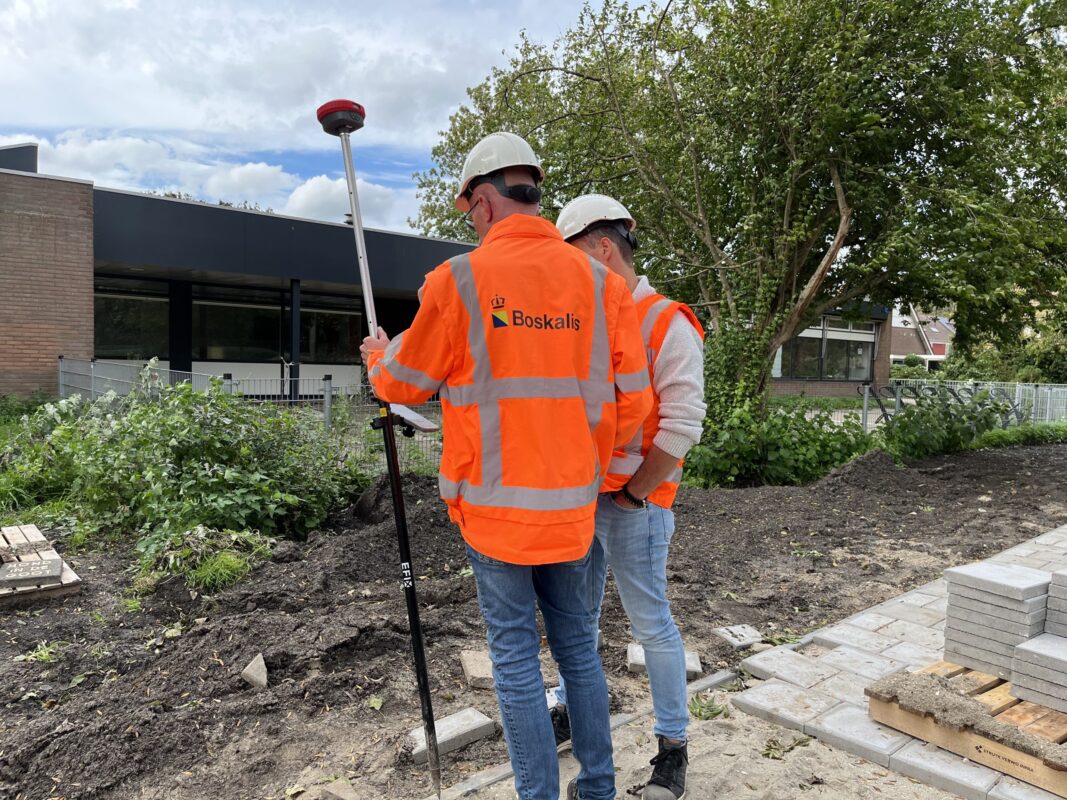
 Lidar scanning
 Total Station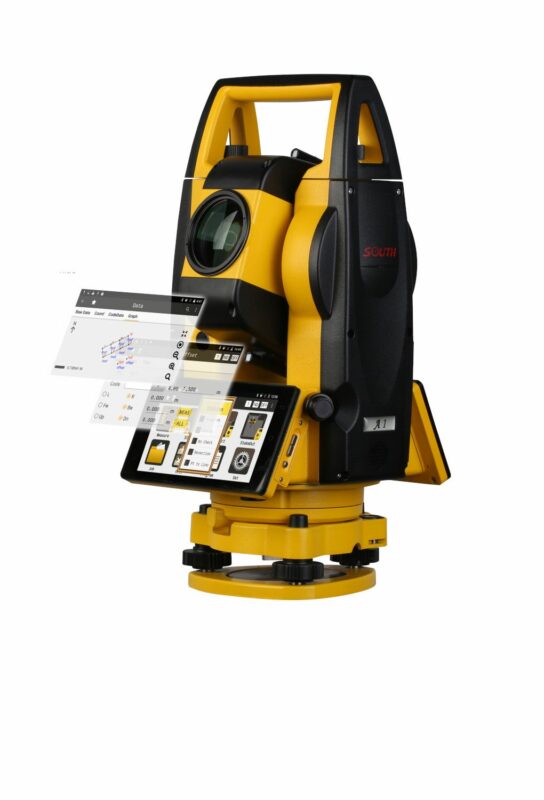
GNSS
Beginner’s Guide to Buying Your First GPS Surveying Set
Beginner’s Guide to Buying Your First GPS Surveying Set
Buying your first GPS surveying set is a big step. Whether you are starting with land surveying, construction layout, topographic surveys, GIS data collection or machine control preparation, the right equipment can make fieldwork faster and more reliable. The wrong setup can make simple jobs frustrating.
Many beginners search for a “GPS surveying set”, but in professional surveying the equipment is usually called an RTK GNSS rover or RTK GNSS receiver. GPS is only one satellite system. Modern survey receivers often use multiple GNSS constellations such as GPS, Galileo, GLONASS and BeiDou to improve availability and reliability in the field.
This guide explains what to look for when buying your first GPS surveying set, which features matter most, and when you should choose a simple beginner-friendly package or a more advanced professional system.
Quick answer: what should your first GPS surveying set include?
Your first GPS surveying set should include a survey-grade RTK GNSS receiver, a field controller or tablet, surveying software, a pole, a pole bracket, batteries or charger, and a way to receive RTK corrections. For most beginners, the best choice is a complete rover set with easy-to-use software, strong RTK performance, good support, and compatibility with the correction service used in your region.
Do not choose only by price or by the number of channels in the datasheet. A good first setup should be reliable, understandable, compatible with your workflow, and easy to get support for when something does not work in the field.
What is a GPS surveying set?
A GPS surveying set is a professional measuring system used to collect accurate positions outdoors. In most modern surveying work, this means an RTK GNSS system. The receiver calculates its position using satellite signals and improves accuracy by using correction data from a base station, CORS network or correction service.
A typical beginner GPS surveying set includes:
- GNSS receiver: The main instrument that receives satellite signals.
- Field controller or tablet: The device used to operate the receiver and store survey data.
- Surveying software: The field application used for measuring, coding, stakeout and exporting data.
- Survey pole: Holds the receiver at a known height above the point.
- Controller bracket: Mounts the controller to the pole.
- RTK corrections: Correction data from a network, base station or local radio setup.
- Accessories: Chargers, batteries, cables, carry case and sometimes a tripod or bipod.
Some sets are sold as a rover set, which is usually enough when you can use an RTK network or correction service. Other sets are sold as a rover-base set, where one receiver works as the base station and the other as the rover. A rover-base set is useful when no correction network is available or when you want to work independently on remote sites.
GPS, GNSS and RTK: what do beginners need to know?
Before buying your first set, it helps to understand three common terms: GPS, GNSS and RTK.
GPS is the American satellite navigation system. In daily language, many people use “GPS” for all satellite measuring equipment.
GNSS means Global Navigation Satellite System. It includes GPS and other satellite constellations such as Galileo, GLONASS and BeiDou. A professional GNSS receiver can use more than one constellation, which helps in places where part of the sky is blocked.
RTK means Real-Time Kinematic. RTK uses correction data to improve the position in real time. This is what makes survey-grade GNSS suitable for accurate topographic work, stakeout, construction layout and many mapping tasks.
| Term | Meaning | Why it matters |
|---|---|---|
| GPS | One satellite navigation system | Common name people use for satellite positioning |
| GNSS | All global satellite navigation systems together | Modern receivers use multiple systems for better availability |
| RTK | Real-time correction method | Needed for high-accuracy field measurements |
| NTRIP | Internet method for receiving RTK corrections | Common when using a correction network through mobile internet |
| Base and rover | Local correction setup using two receivers | Useful where there is no RTK network coverage |
Start with your workflow, not with the receiver
The best GPS surveying set depends on the work you want to do. A beginner doing simple boundary checks and topographic points may need a different setup than a contractor doing daily stakeout on construction sites.
Before comparing receivers, think about your main jobs. Do you need to measure points, stake out coordinates, import DXF files, collect GIS attributes, work with machines, export to CAD, or create reports for clients? The receiver is important, but the complete workflow matters more.
For land surveying
Land surveyors usually need strong RTK performance, reliable coordinate system support, point coding, stakeout tools, linework, DXF import and export, and good data control. A simple app may not be enough if you work with many jobs, coordinate systems and deliverables.
For construction layout
Construction users often need fast stakeout, CAD file support, clear screen guidance, simple point lists, surface or road tools, and rugged hardware. Ease of use is very important because the equipment may be used by different people on site.
For GIS and asset mapping
GIS users may care more about attributes, forms, photos, cloud export and compatibility with GIS platforms. Maximum survey accuracy may be less important than clean data collection and easy export.
For drone mapping support
Drone mapping users may use a GNSS rover to measure ground control points, checkpoints or site control. In this case, the set should be easy to carry, fast to initialise and able to export coordinates in the correct format for photogrammetry software.
Important features to check before buying
When buying your first GPS surveying set, specifications can be difficult to compare. Some features are essential for daily use, while others are only useful for specific projects. The points below are the main things to check before ordering.
1. RTK correction compatibility
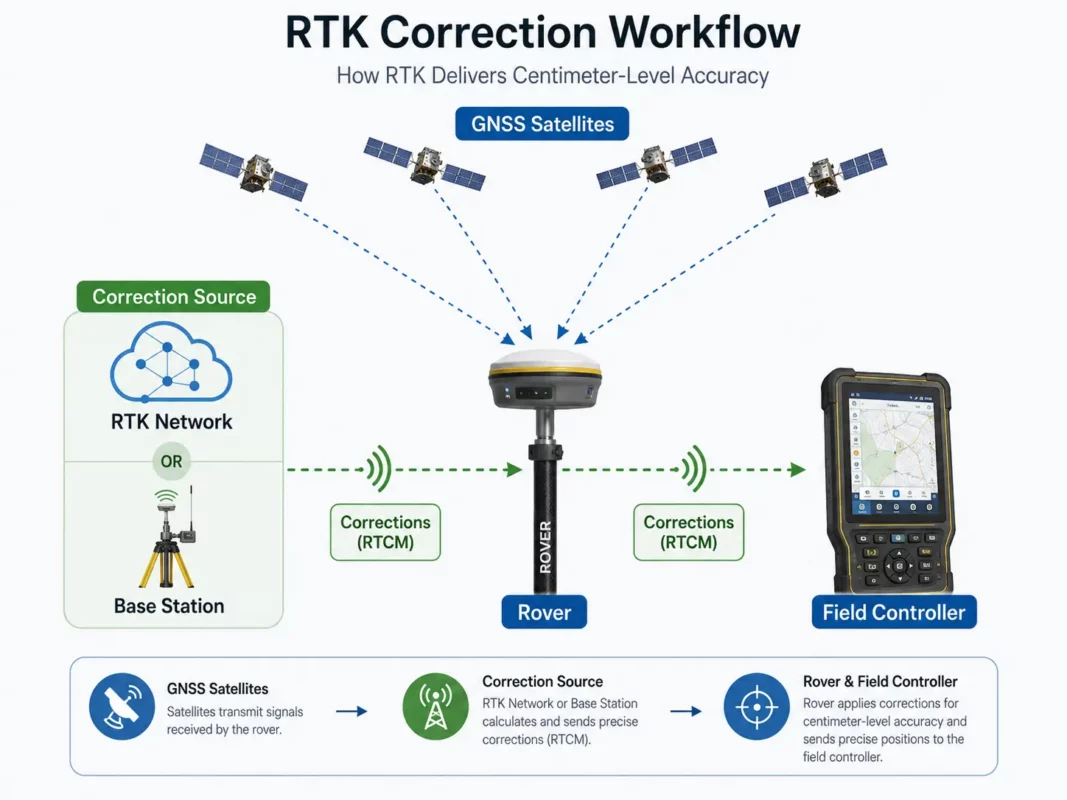
A survey-grade GNSS receiver needs correction data to achieve professional accuracy. This correction data can come from an RTK network, a CORS service, a local base station or a radio link.
For beginners, the easiest setup is often a rover using NTRIP corrections through mobile internet. This avoids setting up your own base station. However, it depends on network coverage, correction service availability and mobile data coverage in your working area.
If you work in remote areas, on large construction sites, in agriculture, forestry, mining or places without reliable mobile internet, a rover-base set or UHF radio setup may be more suitable.
2. Easy-to-use surveying software
The software is just as important as the receiver. Beginners often focus on the GNSS antenna, but most daily work happens on the controller screen. Good software makes it easier to create jobs, connect to the receiver, set the pole height, collect points, stake out positions and export results.
Look for software that supports the tasks you actually need:
- Point measurement and point coding
- Stakeout of points, lines and surfaces
- DXF or DWG import and export
- Coordinate system and geoid support
- COGO functions
- Linework and feature coding
- Job reports and export formats
- Cloud sync if your team needs it
For a first system, simple software with clear menus may be better than advanced software that is powerful but difficult to learn. For experienced surveyors, more advanced CAD, road and surface tools may be worth the extra learning time.
3. Field controller or tablet quality
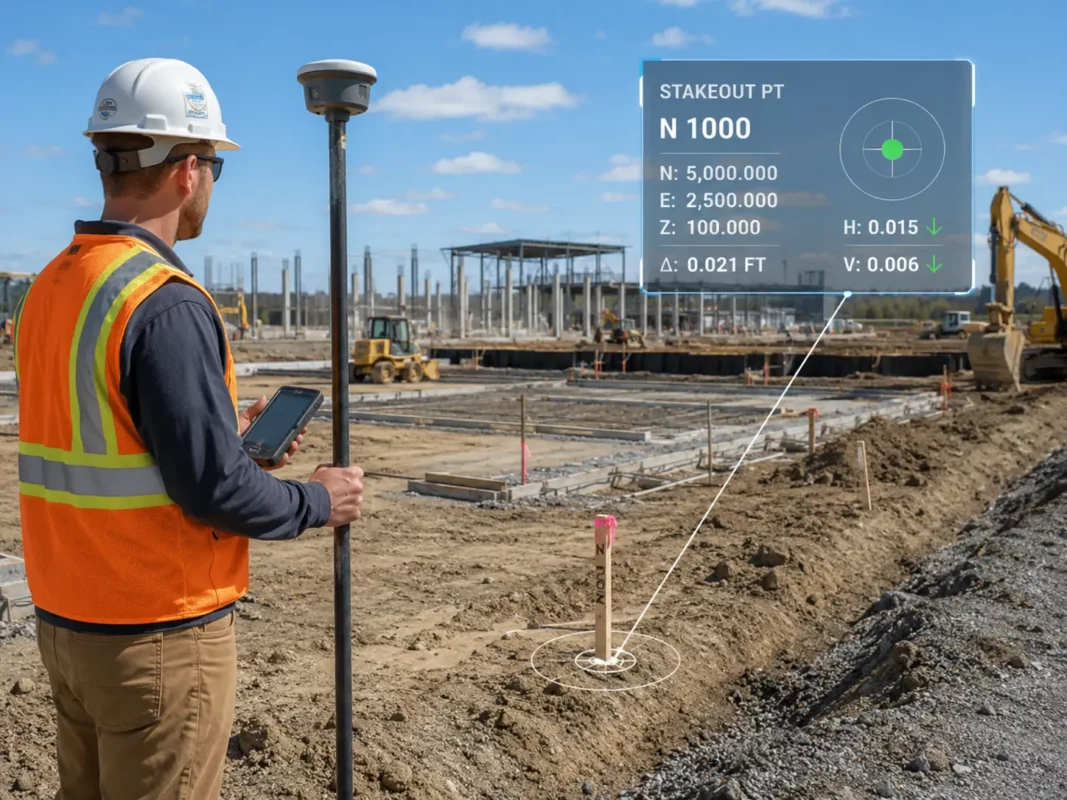
The controller is used all day, so it should not be an afterthought. A good field controller should be readable outdoors, comfortable to hold, compatible with the software, and rugged enough for field conditions.
Check whether the controller has a physical keyboard, touchscreen, Android or Windows operating system, enough battery life for your working day, and suitable connectivity such as Bluetooth, Wi-Fi, mobile data or USB. For wet, dusty or rough job sites, rugged build quality becomes very important.
4. IMU tilt compensation
Many modern GNSS receivers include IMU tilt compensation. This allows the user to measure points without holding the pole perfectly vertical. It can save time around fences, walls, trenches, slopes, parked vehicles, traffic areas and other hard-to-reach points.
For beginners, tilt compensation can make the equipment feel easier to use. However, it should not replace good survey practice. You still need to understand pole height, point quality, calibration requirements and when tilt measurement is not suitable.

5. Satellite and frequency support
A modern receiver should support multiple GNSS constellations and multiple frequencies. This helps the receiver maintain a better satellite geometry and work more reliably in difficult environments. This is useful near buildings, trees, machinery and other obstructions.
Do not buy only based on the highest number of channels. The real question is how the receiver performs in your field conditions, how fast it fixes, how stable it remains, and whether it works well with your correction source and software.
6. Connectivity
Check how the receiver connects to the controller and to correction data. Common options include Bluetooth, Wi-Fi, internal radio, external radio, SIM card, controller internet or receiver internet.
For NTRIP corrections, you usually need internet access through the controller or receiver. For base-rover work, you may need UHF radio. For office transfer, you may need USB, cloud sync or file export through the controller.
7. Accessories and complete package contents
A low receiver price can look attractive, but make sure the set includes what you need to work. A beginner may need a pole, bracket, controller, software licence, charger, batteries, carry case and correction setup advice.
Ask what is included and what must be purchased separately. Missing accessories can delay your first job and increase the total cost.
Beginner-friendly set or expert-level set?
Not every user needs the most advanced GPS surveying set. The right choice depends on experience, project type and how much control you need over the workflow.
| User type | Best choice | Why |
|---|---|---|
| Beginner survey user | Complete RTK rover set with simple software | Easier setup, faster learning and fewer missing parts |
| Construction layout team | Rugged rover set with strong stakeout tools | Clear guidance and reliability matter on site |
| Experienced land surveyor | Advanced receiver and full-featured field software | Better control over coordinate systems, CAD, coding and reports |
| Remote field user | Rover-base set or radio-capable system | Less dependent on mobile internet or RTK networks |
| GIS mapper | GNSS set with attribute collection and export tools | Data structure and compatibility may be more important than advanced stakeout |
A beginner-friendly system should make the basic workflow simple: create a job, connect the receiver, choose the correction source, set the pole height, measure points, check quality and export data. An expert-level system usually offers more control, more settings and more advanced tools, but it may require more training.
What accuracy do you need?
Accuracy requirements depend on the job. Construction layout, cadastral surveying, control work, machine control preparation and engineering surveys usually need higher accuracy and better quality control than general mapping or asset collection.
When comparing equipment, remember that the accuracy shown in a datasheet is usually based on certain conditions. Real field performance depends on satellite visibility, correction quality, multipath, mobile coverage, coordinate system setup, pole height errors and user workflow.
For beginners, it is important to learn the difference between a fixed solution and a float solution. A fixed RTK solution normally indicates a high-quality RTK result. A float solution is less certain and should be treated with caution for precise work.
Common mistakes when buying your first GPS surveying set
Many first-time buyers make the same mistakes. They compare only receiver price, ignore the software, forget correction services, or buy a system that is too difficult for their team to use.
Another common mistake is buying equipment without checking coordinate system support. If the field software does not support the coordinate system, geoid model or export format you need, the receiver may be accurate but the workflow can still fail.
Also check support. When you are new to GPS surveying, you may need help with NTRIP settings, coordinate systems, pole height, localisation, base setup or exporting data. Good support can be more valuable than one extra feature on the datasheet.
When is a GPS surveying set useful?
A GPS surveying set is useful when you need to measure or stake out positions outdoors with professional accuracy. It is especially useful on open sites where the receiver has a clear view of the sky.
Common applications include topographic surveys, construction layout, road and infrastructure projects, volume surveys, utility mapping, drone ground control points, site control, GIS asset mapping, agriculture, earthworks and machine control preparation.
GNSS is less suitable in places where satellite signals are blocked or reflected, such as indoors, tunnels, dense forests, narrow streets, under bridges or directly beside tall buildings. In these areas, a total station, robotic total station, scanner or combined workflow may be better.
Limitations and things to check before you buy
RTK GNSS is powerful, but it is not magic. It needs satellite visibility, correction data and correct setup. Beginners should understand the main limitations before buying.
- GNSS does not work well indoors or underground.
- Trees, buildings and machines can block or reflect satellite signals.
- RTK corrections require internet, radio or a local base station.
- Coordinate system mistakes can cause large position errors.
- Pole height must be entered correctly.
- Tilt compensation has limits and should be used correctly.
- Some projects still require a total station for higher control or obstructed areas.
Before choosing a system, check the correction service in your region, the required export formats, the coordinate systems you work in, the software language, support options, accessory package and whether the system can grow with your future projects.
Recommended buying checklist for your first GPS surveying set
| What to check | Why it matters |
|---|---|
| Complete rover set | Avoid missing essential parts such as pole, bracket, controller or charger |
| RTK correction method | Determines whether you need NTRIP, base-rover or radio setup |
| Surveying software | Controls the daily workflow for measuring, stakeout and export |
| Coordinate system support | Prevents wrong positions and export problems |
| Controller type | Affects usability, screen visibility and field durability |
| IMU tilt compensation | Can speed up measurement in difficult-to-reach places |
| CAD and export options | Important for construction, engineering and office workflows |
| Support and training | Very important for first-time users |
| Future expansion | Allows you to add base station, radio, software modules or accessories later |
Related Global GPS Systems product categories
Global GPS Systems supplies a wide range of equipment for users who want to start with GPS surveying or upgrade their current setup. For a first purchase, the most relevant categories are RTK GNSS receivers, GPS rover sets, GPS rover-base sets, data collectors, surveying software, correction services, survey poles and GNSS accessories.
If you are not sure which system fits your work, compare complete sets instead of only separate receivers. A complete package makes it easier to understand what is included, what correction method you need, and which software workflow is best for your projects.
GPS Surveying Set FAQ
GPS Surveying Set Basics
What is a GPS surveying set?
A GPS surveying set is a professional measuring system used to collect accurate outdoor positions. In modern surveying, this usually means an RTK GNSS rover or RTK GNSS receiver that uses satellite signals together with correction data for high-accuracy measuring and stakeout work.
What is normally included in a GPS surveying set?
A complete GPS surveying set usually includes a survey-grade GNSS receiver, field controller or tablet, surveying software, survey pole, controller bracket, batteries or charger, carry case and a method for receiving RTK corrections.
What is the difference between GPS and GNSS?
GPS is one satellite navigation system, while GNSS refers to all global satellite navigation systems together, including GPS, Galileo, GLONASS and BeiDou. Professional survey receivers often use multiple GNSS constellations for better availability and reliability in the field.
What does RTK mean in GPS surveying?
RTK stands for Real-Time Kinematic. It is a correction method that improves satellite positioning in real time, making GNSS suitable for professional surveying, topographic work, construction layout and accurate mapping tasks.
Is a handheld GPS accurate enough for surveying?
A normal handheld GPS is useful for navigation and basic mapping, but it is usually not accurate enough for professional surveying or construction layout. For survey-grade work, an RTK GNSS receiver is normally required.
Choosing the Right Setup
What is the best GPS surveying set for beginners?
The best GPS surveying set for beginners is usually a complete RTK GNSS rover set with easy-to-use software, a suitable controller, clear correction setup and reliable support. The right choice depends on your work type, required accuracy, coordinate system and export workflow.
Do I need one receiver or two receivers?
If you can use an RTK correction network, one rover receiver may be enough. If you work in remote areas, have no reliable correction network or want to create your own local corrections, a rover-base set with two receivers may be more suitable.
What is the difference between a rover set and a rover-base set?
A rover set uses one GNSS receiver as the measuring unit and normally receives corrections from a network or correction service. A rover-base set includes two receivers, where one works as the local base station and the other works as the rover.
Should I choose a complete set or only a receiver?
A complete set is often better for first-time users because it reduces the risk of missing essential parts. It also helps ensure that the receiver, controller, software, pole, bracket and accessories are compatible with each other.
What should I check before buying a GPS surveying set?
Check the included accessories, RTK correction method, field software, coordinate system support, export formats, controller type, battery setup, connectivity, support options and whether the system can be expanded for future projects.
Software, Corrections and Field Workflow
What software do I need for GPS surveying?
You need field surveying software that can connect to the receiver, create jobs, measure points, perform stakeout, manage coordinate systems and export data. Depending on your workflow, you may also need CAD import, linework, COGO tools, surfaces, road tools or reporting functions.
Why are RTK corrections important?
RTK corrections improve the GNSS position in real time. Without suitable correction data, a receiver may not reach the accuracy needed for professional surveying, construction layout or engineering-related measuring tasks.
What are NTRIP corrections?
NTRIP is a common method for receiving RTK correction data through the internet. It is often used with correction networks and can be a convenient option when mobile data coverage and a suitable correction service are available in your working area.
Why is coordinate system support important?
Coordinate system support is important because incorrect coordinate settings can cause large position errors. Before choosing a system, check that the field software supports the coordinate system, geoid model and export format required for your projects.
Which export formats should I look for?
The required export formats depend on your workflow. Common needs include point files, CAD-compatible exports, DXF or DWG support, reports and GIS-compatible formats. Construction, engineering and survey users should check export options before ordering.
What is a fixed RTK solution?
A fixed RTK solution normally indicates a high-quality corrected GNSS position. A float solution is less certain and should be treated with caution when performing precise surveying or construction layout work.
Applications, Features and Limitations
Can a GPS surveying set be used for construction layout?
Yes, RTK GNSS is widely used for construction layout, especially on open sites with good satellite visibility. For work close to buildings, indoors or in heavily obstructed areas, a total station may be needed instead.
Can I use a GPS surveying set for topographic surveys?
Yes, a GPS surveying set is commonly used for topographic surveys. It can measure points, lines and site features efficiently outdoors, especially when the receiver has a clear view of the sky and reliable RTK corrections.
Is a GPS surveying set useful for drone mapping?
Yes, GNSS rovers are often used to measure ground control points, checkpoints and site control for drone mapping. The set should be easy to carry, fast to initialise and able to export coordinates in the format required by your photogrammetry workflow.
What is IMU tilt compensation?
IMU tilt compensation allows the user to measure points without holding the pole perfectly vertical. It can save time near fences, walls, trenches, slopes, parked vehicles and other hard-to-reach points, but it should still be used with correct survey practice.
Does GNSS work under trees or near buildings?
GNSS can work in some obstructed areas, but trees, buildings, machinery and reflective surfaces can reduce performance. In difficult locations, extra quality checks or a total station workflow may be required.
Can GPS surveying equipment be used indoors or underground?
GNSS equipment does not work well indoors or underground because it needs satellite visibility. For tunnels, indoor spaces, dense urban areas or areas with blocked sky view, another measuring method such as a total station or scanner may be more suitable.
Which industries use GPS surveying sets?
GPS surveying sets are used in land surveying, construction, infrastructure, roadwork, earthworks, GIS asset mapping, drone mapping, agriculture, utility mapping, site control and machine control preparation.
 GPS & GNSS
 Total Stations
 Data collectors
 Software
 Correction services
 Machine control
 External radio
 Marine
 Accessories