

 GPS & GNSS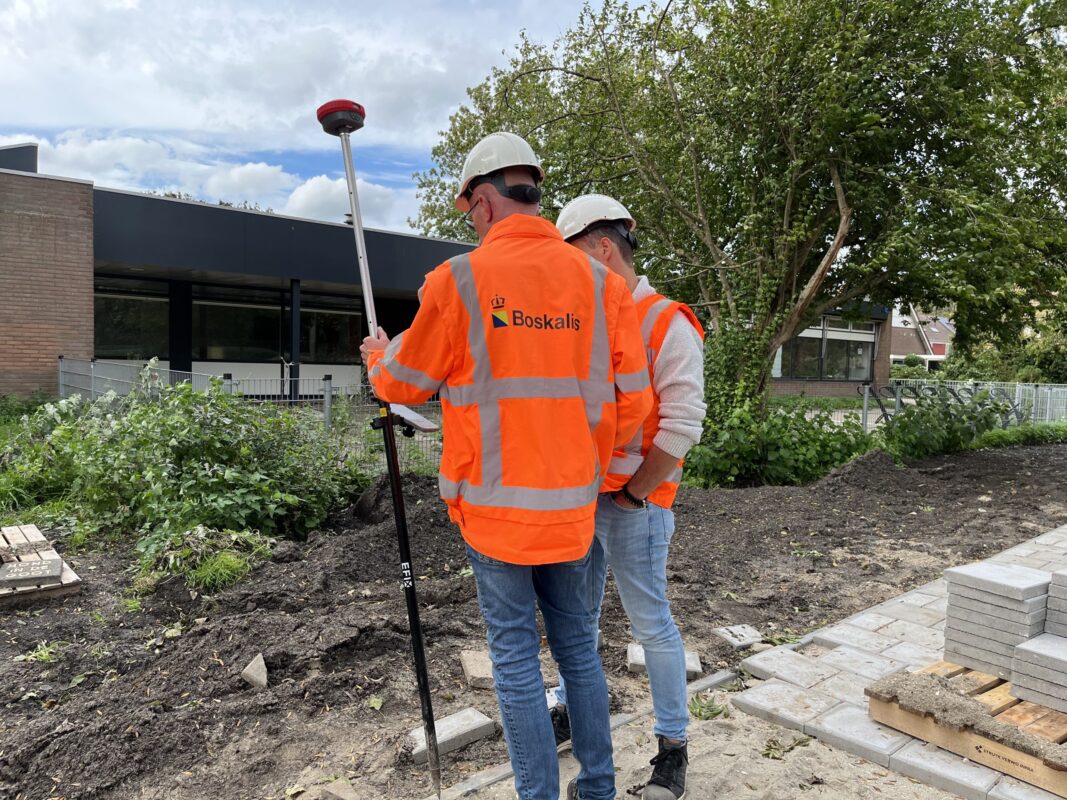
 Lidar scanning
 Total Station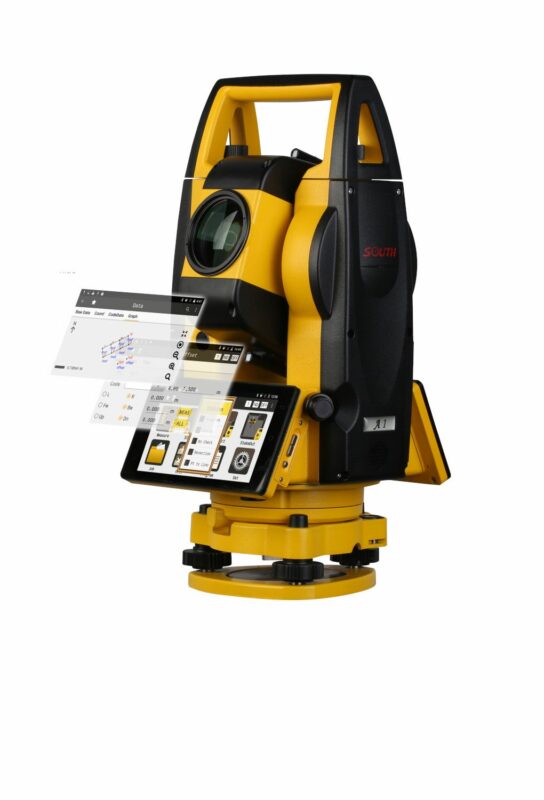
GNSS
Which RTK GPS Receiver Do I Need? A Practical Buyer Guide for Modern GNSS Surveying
Which RTK GPS Receiver Do I Need? A Practical Buyer Guide for Modern GNSS Surveying
Choosing the right RTK GPS receiver used to be fairly simple. You compared accuracy, checked whether you needed a base and rover, and made sure the receiver worked with your field software. Today, RTK GNSS receivers have changed a lot. Modern systems can include IMU tilt compensation, visual stakeout, camera measurement, laser offset measurement, cloud workflows, UHF radio, 4G correction data, and even integrated LiDAR or SLAM technology for difficult locations.
This is good news for surveyors, construction teams, GIS users, drone mapping operators, and machine-control users, but it also makes the buying decision more complex. The best RTK GPS receiver is not always the most expensive one. It is the receiver that fits your working environment, correction method, software workflow, accuracy requirements, and the type of points you need to measure.
This guide explains what to look for when buying a modern RTK GNSS receiver and how to decide which setup is right for your work.
Quick answer: which RTK GPS receiver do I need?
For most professional surveying and construction layout work, you should choose a multi-frequency RTK GNSS receiver with full GNSS constellation tracking, reliable 4G/NTRIP correction support, IMU tilt compensation, strong field software compatibility, and a rugged design suitable for daily outdoor use.
If you mainly work in open areas, a standard RTK rover with IMU may be enough. If you work near buildings, fences, vegetation, trenches, traffic, or inaccessible points, choose a receiver with advanced IMU tilt and possibly camera or laser measurement. If you often work under bridges, inside structures, close to high walls, or in GNSS-obstructed areas, consider whether you need a total station, a LiDAR scanner, or a hybrid GNSS + SLAM/LiDAR system instead of relying only on GNSS.
| Type of work | Recommended RTK GPS receiver type | Features to prioritise |
|---|---|---|
| General land surveying | Professional RTK GNSS rover | Multi-frequency GNSS, IMU tilt, strong RTK performance, reliable controller software |
| Construction layout | RTK rover with visual stakeout or AR guidance | Stakeout workflow, CAD import, IMU, clear field interface, rugged controller |
| GIS data collection | Compact RTK rover or handheld GNSS | Simple software, attributes, cloud sync, centimetre or decimetre accuracy depending on project |
| Hard-to-reach points | RTK rover with IMU, camera, or laser measurement | Tilt compensation, image measurement, laser offset, good QA checks |
| Under bridges or GNSS-blocked areas | Hybrid GNSS + SLAM/LiDAR or total station workflow | LiDAR, SLAM, control points, point cloud processing, total station integration |
| Remote areas without internet | Base and rover set | Internal UHF radio, external radio option, local base workflow, battery capacity |
| Drone mapping ground control | RTK rover or base-rover set | PPK/RTK support, coordinate systems, easy point export, base logging |
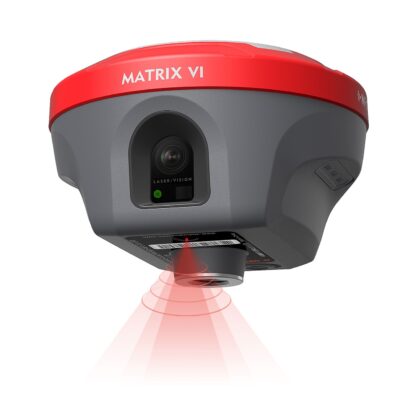

RTK GPS or GNSS: what are you actually buying?
Many people still say “RTK GPS”, but most professional receivers today are better described as RTK GNSS receivers. GPS is the American satellite system. GNSS is the broader term that includes multiple satellite constellations such as GPS, Galileo, GLONASS, BeiDou, QZSS and others depending on the receiver.
A modern RTK GNSS receiver uses satellite signals together with correction data to calculate a much more accurate position than a normal phone, car navigation system, or handheld recreational GPS. With the right receiver, correction service, field procedure, and site conditions, RTK is commonly used for centimetre-level surveying and layout work.
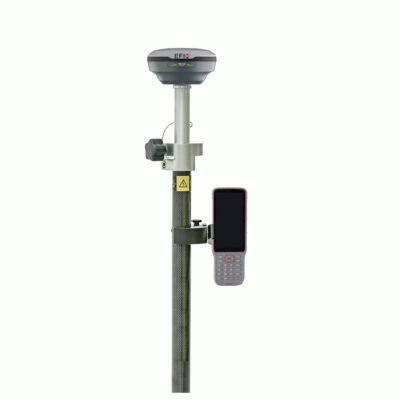
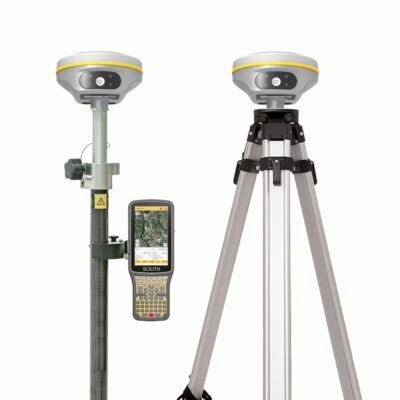
The receiver itself is only one part of the system. A complete RTK surveying setup usually includes the GNSS receiver, a survey pole, data collector or tablet, field software, correction source, mounting accessories, batteries, and sometimes a base station or radio.
What has changed in RTK GNSS receivers?
RTK receivers have become much more capable in the last few years. Older buying guides often focused mainly on price, number of channels, battery type, and whether the receiver had internet or radio. These are still important, but they are no longer the full story.
The biggest changes are in field productivity. Many current receivers are designed to help users measure faster, work in more difficult places, and reduce mistakes during stakeout or data collection. Instead of only asking “Can this receiver get a fixed RTK solution?”, buyers should also ask “Can this receiver help me measure the points I actually need in the field?”
Modern RTK GNSS features now include
- IMU tilt compensation for measuring points without keeping the pole perfectly vertical.
- Visual positioning for measuring points from images captured by the receiver.
- AR vision stakeout to guide the user visually toward a design point.
- Laser measurement for offset points that are unsafe or difficult to access.
- Multi-frequency, multi-constellation tracking for stronger performance in challenging GNSS conditions.
- Integrated 4G, Wi-Fi, Bluetooth and UHF radio for flexible correction workflows.
- Cloud-connected field software for easier project transfer, CAD import, reporting, and team collaboration.
- Hybrid GNSS + SLAM or LiDAR systems for mapping areas where GNSS alone is not reliable.
Do you need a rover only, or a base and rover set?
One of the first decisions is whether you need a single RTK rover or a complete base and rover set.
A rover-only setup is usually the easiest option when you can receive correction data from an RTK network through NTRIP. The rover connects to the internet, receives correction data, and calculates an RTK position in the field. This is common for surveyors, contractors, and GIS teams working in areas with mobile internet coverage and a reliable correction service.
A base and rover set is useful when you work in remote areas, on private sites, in countries or regions without reliable RTK network coverage, or on projects where you need full control over the correction source. In this setup, one receiver is placed over a known or assumed base point and sends correction data to the rover, usually by UHF radio or internet.
| Setup | Best for | Main advantage | What to check |
|---|---|---|---|
| Rover with NTRIP correction service | Areas with mobile internet and RTK network coverage | Simple setup with only one receiver | Correction subscription, SIM card, mobile coverage, supported mountpoints |
| Base and rover with UHF radio | Remote sites, farms, mines, construction projects, private control networks | Independent correction source | Radio range, legal frequencies, antenna setup, base coordinates |
| Base and rover using internet | Sites where radio range is limited but internet is available | Flexible correction distribution | Network reliability, caster setup, data connection |
| PPK workflow | Drone mapping, post-processing, areas with poor live correction links | Can process accurate positions after fieldwork | Raw data logging, software compatibility, time synchronisation |
How important is IMU tilt compensation?
IMU tilt compensation is one of the most useful upgrades in modern RTK GNSS receivers. A traditional GNSS rover requires the pole to be held vertically over the point. That works well on open ground, but it can slow you down when measuring fence lines, walls, trenches, kerbs, building corners, road edges, slopes, ditches, and points near obstacles.
An IMU, or inertial measurement unit, helps the receiver understand the angle and movement of the pole. The receiver can then compensate for the pole tilt and calculate the point position at the pole tip, even when the receiver itself is not directly above the point.
In practical fieldwork, this means the operator can measure more naturally. You can lean the pole to reach a point beside a parked vehicle, keep away from traffic, measure along a wall without scraping the receiver against it, or collect points on a slope without fighting the bubble for every observation.
When IMU tilt is especially useful
- Measuring corners, fences, walls, kerbs and trench edges.
- Working beside roads where standing directly over the point is unsafe.
- Collecting points near buildings, trees, parked cars or site equipment.
- Measuring on slopes where keeping the pole vertical is awkward.
- Speeding up topographic surveys with many detail points.
Not all tilt systems are the same. Some older tilt sensors required calibration or were affected by magnetic interference. Many modern IMU-based systems are faster and more practical, but you should still check the receiver’s specified tilt range, accuracy at tilt, initialization method, supported field software, and quality-control indicators.
Do you need laser measurement on an RTK receiver?
Laser measurement is becoming more common on advanced RTK GNSS receivers. A laser-equipped receiver can measure an offset point without placing the pole tip directly on that point. This can be useful when the point is dangerous, blocked, fragile, wet, or physically difficult to reach.
For example, you may need to measure a point across a ditch, a façade detail, a point behind a fence, a manhole partly blocked by a vehicle, or a location where standing with a pole is unsafe. With a suitable laser workflow, the receiver can combine GNSS, IMU orientation, and laser distance measurement to calculate the target point.
This feature is not a replacement for good survey control or careful field checks. Laser measurement depends on target visibility, distance, angle, surface reflectivity, and the receiver’s own specifications. It is best seen as a productivity tool for selected points, not as the default method for every measurement.
What to check before choosing a laser RTK receiver
- The specified laser measurement range and accuracy.
- Whether the laser workflow is supported in the field software you plan to use.
- Whether the receiver provides clear visual aiming and quality checks.
- How the system stores laser-measured points in the job file.
- Whether the method is accepted for your required survey standard.
What is AR vision stakeout and when does it help?
AR vision stakeout uses the camera view on the controller or receiver workflow to guide the user toward a design point. Instead of only looking at arrows, distances, and numbers, the operator can see a visual indication of where the point is in the real-world view.
This is especially helpful for construction layout teams, less experienced users, and anyone staking many points on a busy site. AR stakeout does not remove the need for correct coordinates, calibration, site control, or good survey practice, but it can make the final approach to the point easier to understand.
For example, when staking a foundation corner, utility point, anchor bolt location, road feature, or landscape design point, AR guidance can help the operator move in the right direction more confidently. It can also reduce confusion when the site is visually complex or when the operator is not used to interpreting traditional stakeout screens.
What is visual positioning or image measurement?
Some modern GNSS receivers include cameras that allow visual positioning or image-based measurement. The operator captures images of the area, and the software can calculate coordinates for points selected in those images, either in the field or later in the office depending on the system.
This can be useful when a point cannot be occupied directly with the pole. Examples include building corners, utility details, points behind obstacles, traffic areas, façade features, or locations where you want a visual record of what was measured.
Visual measurement is powerful, but it must be used correctly. The result depends on camera calibration, GNSS position quality, image geometry, distance to the target, software processing, and field procedure. For high-accuracy work, users should understand the manufacturer’s recommended workflow and verify results with check points where possible.
Can an RTK GPS receiver measure under a bridge?
A normal RTK GNSS receiver needs satellite visibility. Under a bridge, inside a tunnel, close to high retaining walls, near steel structures, or underneath dense tree cover, GNSS signals can be blocked, reflected, or degraded. This can lead to float solutions, unstable fixes, multipath errors, or no usable position at all.
IMU tilt compensation does not solve poor satellite visibility by itself. IMU helps with pole angle, not with missing satellites. A good receiver may perform better in challenging conditions, but there are still places where GNSS is the wrong tool on its own.
For work under bridges or in GNSS-obstructed zones, you may need a different workflow. Options include using a total station from known control, setting control points outside the obstruction, using a LiDAR scanner, or using a hybrid GNSS + SLAM/LiDAR system that can continue mapping where GNSS is weak or unavailable.
Integrated LiDAR and SLAM for difficult GNSS areas
Integrated GNSS + SLAM/LiDAR systems are designed for reality capture and mapping in places where a normal GNSS rover is limited. These systems can combine outdoor RTK positioning with LiDAR scanning, cameras, IMU data, and SLAM processing. In practice, this can allow a user to move from an open-sky GNSS area into a more obstructed area while still collecting a georeferenced point cloud.
This can be useful for bridge undersides, building interiors, industrial yards, stockpiles, forestry, façades, tunnels, culverts, and complex construction sites. Instead of measuring only individual points, the system captures many points as a point cloud. That point cloud can then be used for measurements, CAD drawings, BIM checks, volume calculations, clearance checks, or asset documentation.
However, LiDAR and SLAM workflows are not the same as standard RTK point collection. You need to think about control points, scan paths, loop closures, processing software, deliverables, point cloud accuracy, and how the data will be checked. For some projects, a total station is still the best option. For others, LiDAR can save a large amount of field time.
How many GNSS frequencies and constellations do you need?
For professional RTK work, a multi-frequency receiver is strongly recommended. Older single-frequency receivers are limited for modern surveying and can struggle more with initialization time, signal reliability, and challenging conditions.
A current professional receiver should support multiple constellations and multiple frequencies. This gives the receiver more satellite signals to work with and can improve performance in difficult environments such as urban areas, tree lines, construction sites, and locations with partial sky obstruction.
Do not choose a receiver only because it has the highest channel count. Channel count can be useful, but it does not tell the whole story. Antenna design, GNSS engine quality, firmware, correction handling, multipath mitigation, and field software integration are just as important.
What to look for
- Support for GPS, Galileo, GLONASS, BeiDou and other relevant constellations.
- Multi-frequency tracking, including modern signals where supported.
- Fast and reliable RTK initialization.
- Stable fixed solutions in real working environments, not only in open-sky tests.
- Good performance near trees, buildings, machinery and reflective surfaces.
Internet, NTRIP and correction services
RTK correction data is what allows a GNSS receiver to move from metre-level standalone positioning to centimetre-level RTK positioning. Many rovers receive corrections through NTRIP using a mobile internet connection. This can be done with a SIM card inside the receiver, a SIM card in the controller, a Wi-Fi hotspot, or another internet connection depending on the system.
When buying a receiver, check whether it has an internal modem, which mobile networks it supports, and whether it can work reliably in your country. In many areas, older 2G and 3G networks have been reduced or switched off, so a modern receiver should support current mobile data networks.
Also check which correction services you plan to use. Some users connect to a national or regional CORS network. Others use a commercial RTK service. Some equipment brands offer their own correction services or PPP options. The best choice depends on your location, required accuracy, coverage, subscription cost, and whether you need repeatable local coordinates for construction or cadastral-style work.
Do you need UHF radio?
UHF radio is important when you want to use your own base station and send corrections directly to the rover without relying on mobile internet. This is common in remote locations, mines, farms, large construction sites, and regions where correction networks are unavailable or unreliable.
Some receivers have internal UHF radios. Others require an external radio for longer range or higher power. Radio performance depends on terrain, antenna height, power output, frequency regulations, interference, and line of sight between base and rover.
Before buying a base-rover setup, check the legal radio frequencies in your country and whether a licence is required. Also check whether the receiver supports the correction formats and radio protocols needed to work with other equipment on your site.
Field software matters as much as the receiver
A powerful RTK receiver is only useful if the field software supports your workflow. Software controls how you collect points, stake out designs, import CAD files, manage coordinate systems, code features, draw linework, export data, and create reports.
For surveyors, software features such as COGO tools, linework, surfaces, road tools, coordinate transformations, DXF/DWG handling, and quality reporting may be essential. For construction teams, simple stakeout, clear cut/fill information, CAD import, and easy point navigation may matter more. For GIS users, attribute collection, forms, layers, cloud sync, and compatibility with GIS platforms may be the priority.
Do not assume every receiver works equally well with every software package. Some systems are open and flexible. Others are designed mainly for their own brand ecosystem. Both approaches can work, but you should know what you are buying before committing to a complete setup.
Controller, tablet or phone: what should you use?
The data collector is the part of the system you interact with all day. A poor controller can make a good receiver frustrating to use. A good controller should be bright enough for outdoor use, rugged enough for site work, and powerful enough to run your field software smoothly.
For professional surveying and construction, a rugged Android controller or Windows tablet is often preferred. For lighter GIS and mapping work, a phone or consumer tablet may be acceptable if the software supports it and the site conditions are not too harsh.
Important controller features
- Readable screen in sunlight.
- Good battery life or replaceable battery options.
- Reliable Bluetooth, Wi-Fi and mobile data connection.
- Physical keyboard if you work in rain, cold weather or with gloves.
- Enough processing power for CAD files, maps and point clouds if needed.
- Rugged housing with suitable dust and water resistance.
Battery design and field runtime
Battery life is still an important buying factor. Some receivers use internal rechargeable batteries. Others use removable batteries. Some professional receivers support hot-swapping, where one battery can be changed while the receiver continues running on another.
Internal batteries are simple and reduce loose parts. Removable batteries are useful for long working days, remote sites, and teams that cannot stop to recharge. If the receiver also uses 4G, UHF radio, cameras, laser, or LiDAR, power consumption may be higher than with a basic rover.
When comparing receivers, do not look only at the advertised runtime. Ask how long the system runs in the workflow you actually use: rover with NTRIP, base with UHF transmit, camera measurement, LiDAR scanning, or full-day construction stakeout.
Ruggedness, service and support
Surveying equipment is used in dust, rain, mud, vibration, heat, cold, and transport cases that are opened and closed every day. Ruggedness matters. Check the IP rating, operating temperature, drop resistance, connector design, pole mount quality, and availability of spare parts.
Support also matters. A receiver may have strong specifications, but if you cannot get help with firmware, correction setup, coordinate systems, controller connection, or software export, productivity will suffer. Buying from a specialist supplier such as Global GPS Systems can help because the discussion is not only about the receiver body, but about the complete working setup.
Which RTK GPS receiver do I need for surveying?
For land surveying, choose a professional multi-frequency RTK GNSS receiver with strong RTK performance, IMU tilt compensation, reliable correction support, and survey-focused field software. Surveyors often need more than simple point collection. They may need linework, coding, stakeout, coordinate transformations, control checks, surfaces, CAD export, and quality reporting.
If you work mostly in open areas, a standard professional IMU rover may be enough. If you often measure buildings, road edges, utilities, fences, walls and obstructed points, consider a receiver with stronger visual or laser measurement tools. If your work includes scanning, deformation, bridge structures, façades or complex sites, consider adding LiDAR or total station workflows.
Which RTK GPS receiver do I need for construction?
Construction users usually need fast stakeout, simple design import, clear cut/fill information, and rugged equipment. The receiver should work well with CAD files, coordinate systems, site calibrations, and machine-control data where relevant.
IMU tilt compensation is very useful on construction sites because points are often near formwork, excavations, traffic, materials, or machinery. AR vision stakeout can also help operators find design points faster, especially when the site is busy or when users are not full-time surveyors.
For construction layout, the best receiver is often the one that combines reliable RTK performance with simple field software. A technically advanced receiver can still be the wrong choice if the software workflow is too complicated for the team using it every day.
Which RTK GPS receiver do I need for GIS mapping?
GIS users may not always need the same setup as a land surveyor. Some GIS projects require centimetre accuracy, while others only need decimetre or sub-metre accuracy. The right receiver depends on the required data quality, attribute collection, software platform, and field team experience.
For utility mapping, asset management, environmental surveys and local government work, an RTK receiver with easy attribute collection, cloud sync, and GIS compatibility can be more important than advanced survey functions. If the work includes points near buildings, trees, fences or road assets, IMU tilt compensation can still be very valuable.
Which RTK GPS receiver do I need for drone mapping?
Drone mapping users often need a GNSS receiver for ground control points, checkpoints, and sometimes base station logging for PPK processing. If your drone has RTK or PPK, you may still need ground control to verify accuracy and tie the project to the required coordinate system.
For this workflow, look for a receiver that can collect accurate ground points, export easily to your photogrammetry software, and log raw GNSS data if needed. A base-rover set may be useful when you fly in areas without a correction network or when you need a local base for PPK.
Which RTK GPS receiver do I need for machine control?
Machine-control projects need reliable coordinates, repeatable site calibration, and compatibility between survey equipment, design files, and machine systems. The GNSS receiver used by the surveyor should fit the same coordinate workflow as the machines on site.
For machine-control support, check file formats, localization workflow, control point management, radio or correction compatibility, and whether your software can prepare or verify the data used by the machines. A cheap rover that cannot handle the site workflow properly can create expensive mistakes.
Limitations: when RTK GNSS is not the right tool
RTK GNSS is powerful, but it is not perfect. It depends on satellite visibility, correction data, good field procedure, correct coordinate settings, and suitable site conditions. Even the best receiver can produce poor results if used incorrectly or in the wrong environment.
Be careful in areas with heavy tree cover, high buildings, bridges, tunnels, steel structures, reflective façades, deep excavations, and overhead obstructions. These environments can cause signal blockage or multipath. A fixed RTK solution is important, but it is not the only quality indicator. You should also check residuals, precision estimates, measurement repeats, control points, and the physical reality of the site.
Things to check before trusting the measurement
- Is the receiver fixed, float, or standalone?
- Are the coordinate system and geoid model correct?
- Is the pole height entered correctly?
- Has the point been checked with a repeat measurement?
- Are you near objects that could cause multipath?
- Does the measurement method match the required project accuracy?
A practical buying checklist
Before choosing an RTK GPS receiver, start with the work you need to do. A receiver for occasional GIS mapping does not need to be the same as a receiver for daily construction layout or professional land surveying. Use the checklist below to compare systems in a practical way.
| Question | Why it matters |
|---|---|
| Will I use an RTK network or my own base station? | This decides whether you need only a rover or a base and rover set. |
| Do I work near buildings, trees, trenches or traffic? | This determines how important IMU, visual measurement or laser measurement will be. |
| Do I need to work under bridges or indoors? | GNSS alone may not be enough; LiDAR, SLAM or total station workflows may be needed. |
| Which software do I want to use? | Software affects data collection, stakeout, CAD import, exports and reporting. |
| What accuracy do I actually need? | Surveying, GIS, construction and drone mapping can have different accuracy requirements. |
| How experienced are the users? | Simple workflows, AR stakeout and good support can be more valuable than complex features. |
| What happens if mobile internet is unavailable? | You may need UHF radio, a local base, PPK, or another correction method. |
Related Global GPS Systems product categories
Global GPS Systems supplies equipment for different RTK GNSS workflows, from standard rover sets to advanced mapping and scanning solutions. The right category depends on whether you need a single rover, a base-rover setup, a correction service, field software, or a LiDAR solution for difficult measuring conditions.
Useful categories to compare include RTK GNSS receivers, GPS rover sets, GPS rover-base sets, correction services, data collectors, surveying software, total stations, and LiDAR scanning equipment. If you are unsure which setup fits your work, it is usually best to compare the complete workflow rather than only the receiver specifications.
Final advice: buy for your field conditions, not only the specification sheet
The best RTK GPS receiver is the one that helps you collect reliable data in the places where you actually work. For open-sky surveying, a good multi-frequency RTK rover with IMU may be the right choice. For construction layout, AR stakeout and simple CAD workflows may save more time than extra technical features. For hard-to-reach points, laser or visual measurement can be valuable. For bridges, interiors, tunnels and heavy obstructions, LiDAR, SLAM or total station methods may be needed.
When comparing receivers, look beyond price and channel count. Check correction options, IMU performance, software compatibility, field support, battery design, ruggedness, and whether the system can grow with your work. A well-chosen RTK GNSS setup should make your fieldwork faster, safer and more reliable without making the workflow harder than it needs to be.
 GPS & GNSS
 Total Stations
 Data collectors
 Software
 Correction services
 Machine control
 External radio
 Marine
 Accessories