


 GPS & GNSS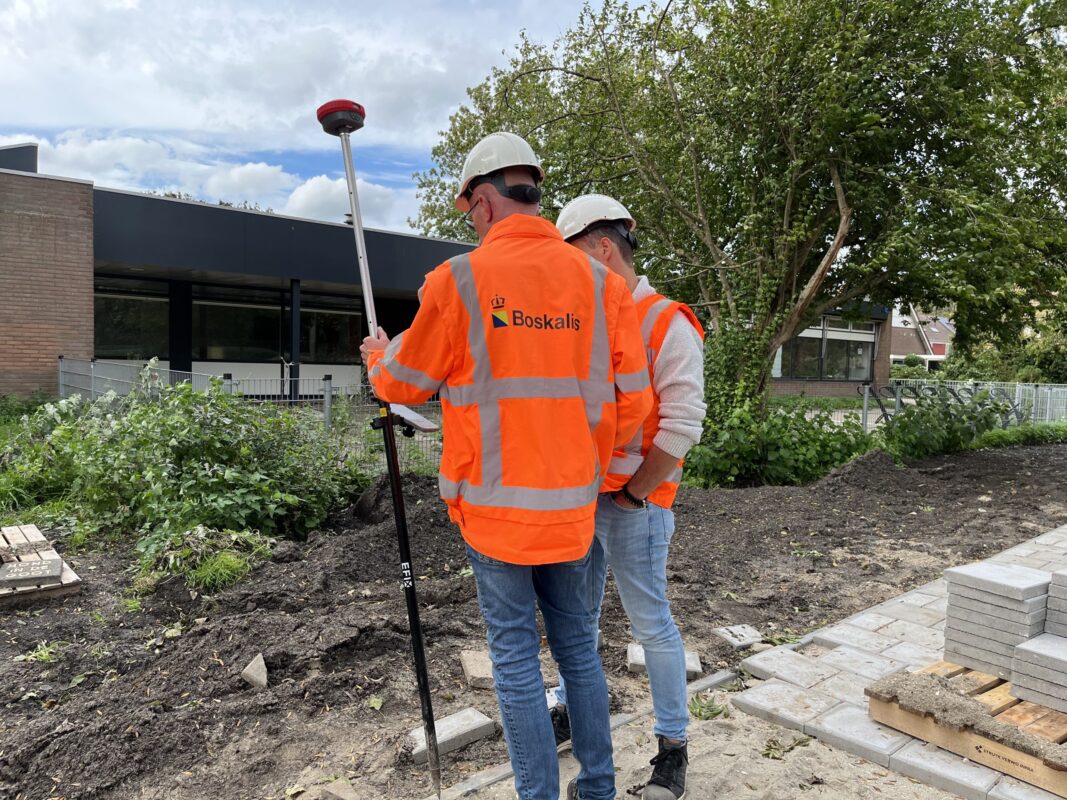
 Lidar scanning
 Total Station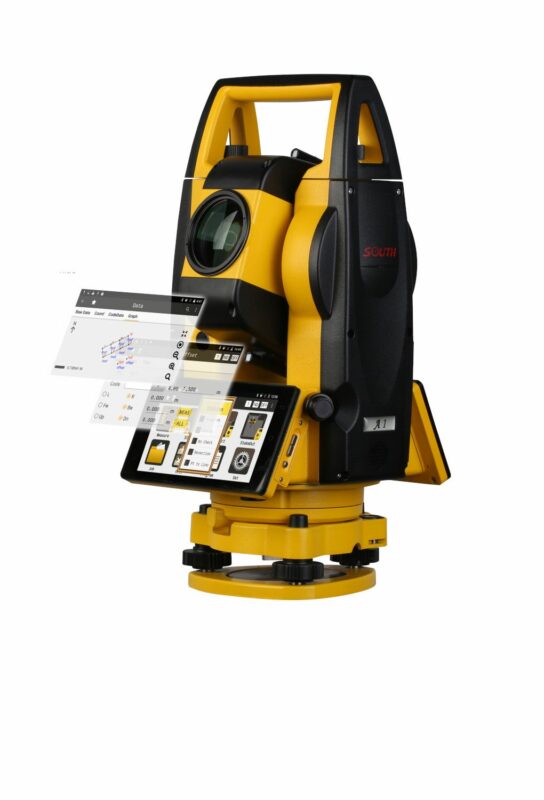

SOUTH SurvStar Android GNSS RTK Total Station Surveying Software
Get the best price for your setup
Contact our experts for the best possible price and configuration.
- Fast response
- Expert configuration advice
- No overpaying for features you do not need
South SurvStar is Android field surveying software for RTK GNSS receivers and compatible total stations. It helps surveyors, construction crews, engineers, GIS professionals and drone mapping teams manage projects, coordinate systems and point databases directly on site. Use it for topographic surveys, boundary work, as-built checks, construction layout and line or point stakeout. SurvStar supports DXF and DWG CAD files, Google Maps, coordinate conversion and COGO calculations, making it practical for transferring digital designs into field measurements. Its RTK and total station workflows help keep data collection and layout tasks organized in one mobile surveying environment.
South SurvStar Highlights
| Platform | Android |
|---|---|
| Instrument workflows | RTK GNSS and compatible total stations |
| Survey functions | Point survey and point or line stakeout |
| CAD and mapping | DXF/DWG support and Google Maps integration |
| Field tools | Coordinate systems, conversion and COGO calculations |
Valued customers:







Find RTK Networks
Search NTRIP providers and connect to reliable RTK correction services.
Description
Professional Android Field Software for RTK GNSS and Construction Layout
South SurvStar is professional Android surveying software for field crews using RTK GNSS receivers, total stations and compatible surveying controllers. It brings project setup, coordinate management, point collection, CAD-based fieldwork, stakeout and practical survey calculations into one mobile working environment. For surveyors, engineers, construction teams, GIS professionals and field technicians, SurvStar helps connect office design data with the measurements and layout tasks carried out on site.
Rather than using separate applications for basic data collection, coordinate handling, construction layout and field calculations, SurvStar gives operators a broad set of tools in one platform. It can be used for topographic surveying, site measurement, as-built checks, road and utility work, construction layout, control surveys and general engineering fieldwork. The software is particularly useful for teams that want a familiar Android workflow while working with SOUTH GNSS equipment and compatible field controllers.
One field platform for GNSS, total station and construction work
SurvStar is designed to support more than simple point measurement. It provides a working environment for preparing projects, connecting to surveying instruments, collecting field points, checking coordinate information and transferring design positions to the ground. This makes it suitable for both routine survey work and construction tasks where the field operator needs to move between measurement, verification and stakeout during the same project.
RTK GNSS is commonly used for fast positioning in open-sky areas, while total stations remain valuable around buildings, beneath obstructions and wherever line-of-sight measurement is required. SurvStar supports workflows for both types of equipment, helping companies maintain consistent field procedures when a project uses more than one instrument. The exact functions available depend on the connected device and configuration, but the software is built to support mixed surveying environments rather than restricting the user to a single instrument type.
Organise projects before measuring
Good field data starts with a properly prepared project. SurvStar includes project management tools that help users create and manage working files, select coordinate systems, configure the instrument connection and organise measured points. Keeping these elements together helps reduce confusion when crews work across several sites, return to an earlier project or need to review measurements during the day.
The project and point database functions are useful for both small construction teams and professional surveying offices. A contractor can use the software to record site points and layout checks, while a surveyor can structure field data for later CAD processing, reporting or as-built documentation. Point information can be managed within the active project so that measurements are easier to identify, review and use for follow-up work.
RTK GNSS data collection for practical fieldwork
When connected to a compatible RTK GNSS receiver, SurvStar provides the field interface for configuring the rover workflow, monitoring positioning information and collecting measured points. The operator can work with the receiver from the Android controller while viewing project information, satellite and coordinate details and the current measurement status.
This is useful for topographic surveys, boundary-related measurements, control point collection, site inventories, utility mapping and as-built checks. The software does not replace the GNSS receiver, correction service or correct field procedures, but it gives the operator the tools needed to manage those parts of the workflow from the controller. Position quality still depends on the receiver, correction source, satellite visibility, site conditions, antenna setup and the coordinate system used for the project.
SurvStar also includes support for PPK-related workflows where supported by the connected equipment. Post-processed kinematic work can be useful when a live correction link is interrupted or when field data needs to be processed after the survey. This provides an additional option for projects where radio, cellular or internet-based corrections are not continuously available.
Point survey and field data collection
Point survey is one of the most common tasks in GNSS fieldwork, and SurvStar provides a structured way to measure and store points inside the active project. This can support ground surveys, site features, existing conditions, road details, drainage assets, construction control and general GIS-style field collection.
For construction and engineering teams, organised point collection makes it easier to compare existing conditions with design information. Surveyors can also use measured point records as the basis for later CAD drawings, surface work, quantity calculations or as-built deliverables. The software is intended for real field use, where points need to be named, stored, checked and revisited rather than simply displayed temporarily on screen.
Stakeout tools for construction layout
SurvStar includes stakeout functions for transferring digital design information to the physical site. Point stakeout can guide the operator to a target position, while line and related layout tools can help crews set out alignments, boundaries, edges, foundations, utilities and other design elements.
In practical terms, the controller helps the operator understand where the target is located, how far the rover is from the design position and which direction to move. This can reduce the need to interpret paper drawings or manually calculate offsets in the field. Stakeout results should still be checked against the project control, design data and required construction tolerances, but a clear digital workflow can make repetitive layout work easier to manage.
Line stakeout is especially useful for roads, curbs, trenches, pipelines, property lines, building edges and site infrastructure. Depending on the project setup, operators can work from imported design data or from geometry created within the field environment. This allows the same controller to be used for both measurement and layout tasks instead of switching between unrelated tools.
CAD support for working from digital designs
SurvStar supports DXF and DWG workflows, making it suitable for projects where design information is prepared in CAD before being taken to the field. Contractors and surveyors can use CAD-based project data to identify points, lines and other design geometry for checking or stakeout.
Working with CAD information on the controller helps bridge the gap between the office and the job site. A field crew can review design geometry, use relevant elements for layout and collect measured information in relation to the imported plan. This is valuable for building construction, roads, utilities, infrastructure, grading and site development, where the field operator often needs to work directly from digital drawings.
The software also includes CAD-related field functions that can support drawing and geometry creation without requiring every task to be completed on a desktop computer. The available workflow depends on the file and equipment setup, but the practical benefit is that crews can make useful field edits, prepare geometry and work with survey data closer to where it is collected.
Coordinate systems, conversions and field calculations
Coordinate system management is essential when survey data must match an existing control network, a local site grid, a national reference system or a project-specific transformation. SurvStar includes coordinate system tools and coordinate conversion functions to help users work with different coordinate requirements.
Using the correct coordinate system is important for preventing shifted, rotated or incorrectly scaled data. It also helps GNSS measurements, CAD drawings, control points and construction layout remain consistent throughout the project. Operators should always confirm the required datum, projection, zone, geoid and site calibration parameters before collecting or staking out important points.
SurvStar also provides COGO tools for common field calculations. These tools can assist with geometric checks, distances, directions, intersections and other calculations that surveyors and engineers may need while working away from the office. Having these functions available in the field can reduce delays when a crew needs to verify geometry or prepare a layout decision during the working day.
Mapping and visual field awareness
Google Maps integration gives users an additional visual reference for understanding the project location and surrounding area. Mapping views can be useful when planning field access, checking the relationship between a survey site and nearby features or providing context alongside measured coordinates.
Map imagery should be treated as a visual aid rather than a substitute for survey control or engineering design information. The measured GNSS data, project coordinate system and approved design files remain the important references for professional positioning and construction decisions.
Wiselink connectivity for supported rover and base workflows
SurvStar includes Wiselink connectivity features intended to simplify supported internet-based connections between rover and base equipment. In a suitable configuration, this can reduce the amount of manual connection information that the operator needs to enter and help crews establish their working link more efficiently.
Connectivity in the field still depends on the receiver, base or network service, mobile coverage, correction source and local operating conditions. SurvStar is best understood as the software interface that helps manage the connection and survey workflow; it does not by itself provide GNSS corrections or guarantee a fixed solution in difficult environments.
Suitable for surveying, construction, GIS and engineering teams
SurvStar is a flexible choice for users who need more than a basic GNSS position display. It is suitable for professional surveyors collecting topographic and control data, construction workers setting out design positions, engineers checking site geometry, GIS teams recording field assets and infrastructure crews working with roads, utilities and civil projects.
Typical applications include site preparation, building layout, earthworks support, road alignment, drainage and utility mapping, infrastructure inspection, as-built surveying, boundary-related fieldwork, construction verification and general engineering measurement. Drone pilots and UAV mapping teams may also find the coordinate and ground-control workflows useful when collecting or checking survey points for mapping projects, although the complete UAV workflow will depend on the drone, photogrammetry software and project requirements.
- RTK GNSS point collection and rover workflows
- Point, line and construction stakeout
- DXF and DWG design data support
- Coordinate system management and conversion tools
- Total station workflows where the instrument setup is compatible
- COGO and other practical field calculation tools
Why choose SurvStar for field operations?
The main benefit of SurvStar is workflow coverage. It combines project management, instrument communication, coordinate handling, measurement, CAD interaction and stakeout in an Android-based field environment. This can help reduce the number of separate applications and manual steps used by a field crew.
For smaller contractors, the software offers a practical way to work with digital survey and construction information without building a complicated office-to-field process. For professional survey teams, it provides tools that can support daily GNSS and total station operations across different project types. For GIS and engineering users, it offers a way to collect structured location data while maintaining awareness of the project coordinate system and design information.
SurvStar should be configured around the actual receiver, controller, correction service and deliverables required for the job. Buyers comparing RTK GNSS systems should consider not only receiver accuracy, but also the field software, compatible hardware, coordinate support, CAD workflow, stakeout functions, training requirements and available technical assistance.
Support from Global GPS Systems
Global GPS Systems can help you select a suitable SurvStar configuration for your surveying or construction workflow. The right setup may include a compatible SOUTH RTK GNSS receiver, Android field controller, total station connection, correction service, antenna accessories and the appropriate project configuration.
Our team can advise surveyors, construction professionals, engineers, GIS users, drone mapping teams and contractors on choosing equipment that matches the way their crews work. We can also provide guidance on RTK workflows, field setup, correction connections and compatible accessories, helping you avoid paying for functions that are not needed for your projects.
Whether you are collecting points, importing CAD drawings, checking existing conditions or staking out construction lines, South SurvStar provides a practical mobile environment for professional field surveying and layout work.
Datasheets & Manuals
Specifications
SurvStar Specifications
Product Overview
| Brand | SOUTH |
|---|---|
| Model | SurvStar |
| Product type | Android field surveying and data collection software |
| Primary purpose | GNSS RTK surveying, total station fieldwork, point collection, construction layout, stakeout and surveying data management |
| Operating platform | Android |
| Manual version reviewed | SurvStar User Manual Version 2.1.0 |
| Software category | Surveying field software, measurement software and field data collection software |
| Software format | Installable Android application requiring a compatible Android controller, tablet or handheld device |
Typical Users and Industries
| Land surveying | Topographic surveys, boundary surveys, control surveys, detail surveys and general field measurement |
|---|---|
| Construction | Site layout, point stakeout, line stakeout, foundation layout, as-built verification and earthwork support |
| Civil engineering | Road, utility, infrastructure, alignment and engineering measurement workflows |
| GIS and mapping | Field asset mapping, geographic data collection, site documentation and coordinate-based data capture |
| Survey technicians | Field crews requiring instrument control, point management, stakeout and export tools |
| Drone and photogrammetry teams | Ground control point collection, image-based survey workflows and photogrammetry-related field operations where supported by the connected equipment |
| Infrastructure and utility contractors | Positioning, inspection, layout, verification and field documentation for roads, utilities and infrastructure projects |
GNSS and RTK Functions
| GNSS receiver workflow | Configuration and control of compatible GNSS receivers |
|---|---|
| RTK rover workflow | Rover setup, receiver connection, positioning status monitoring and field data collection |
| Base and rover support | Base-rover workflow configuration on supported SOUTH equipment |
| Correction service workflow | Supports correction-data workflows such as internet-based RTK and NTRIP where supported by the receiver, controller and network service |
| Wiselink technology | Supports Wiselink connectivity for simplified internet-based rover and base connection setup on compatible equipment |
| PPK workflow | PPK measurement workflow for recording and processing positioning data when real-time differential data is unavailable or interrupted, subject to compatible receiver functionality |
| Positioning status | Access to satellite, coordinate and positioning information during field operations |
| Receiver compatibility | Designed primarily for compatible SOUTH GNSS receivers and field controllers; the complete supported-device list is configuration dependent |
Total Station Functions
| Total station workflow | Configuration and operation of compatible total stations |
|---|---|
| Instrument setup | Device connection and total station workflow configuration |
| Point measurement | Collection and management of measured points from supported total station equipment |
| Stakeout | Point, line and CAD-based layout workflows where supported by the connected total station |
| Mixed instrument workflows | Suitable for field teams using both GNSS receivers and total stations across different project conditions |
| Compatibility limitation | Instrument models, communication methods and available functions depend on the connected SOUTH equipment and software configuration |
Survey and Measurement Functions
| Point survey | Collection and storage of individual survey points |
|---|---|
| Detail survey | Field collection of topographic and site-detail information |
| Point stakeout | Navigation and layout of design or control points |
| Line stakeout | Stakeout of lines and linear design features with field offset guidance |
| CAD stakeout | Selection and stakeout of CAD-based points, lines and drawing features |
| Control point workflows | Collection, storage and management of control and reference points |
| As-built survey | Collection of installed or constructed features for verification and documentation |
| Interval measurement | Measurement modes such as repeated or interval-based point collection where supported by the active workflow |
| Quick measurement | Rapid field point collection mode |
| Check measurement | Measurement mode intended for verification and quality-control observations |
| Code-based collection | Point coding and code-library workflows for organizing collected field data |
| Survey, coding and plotting | Supports assigning codes to points and creating field drawings or maps during collection on supported versions |
Project and Point Data Management
| Project management | Project creation, project setup, project selection and project administration |
|---|---|
| Project wizard | Guided project creation and initial configuration workflow |
| Point database | Point storage, review, editing, deletion, recovery and management |
| Point types | Supports survey points, input points and stakeout points |
| Point editing | Point attribute, coordinate, description and code editing where supported |
| Point recovery | Recovery of previously deleted points where available in the active data-management workflow |
| Point sharing | Point information sharing through supported text or QR-based workflows |
| Code library | Creation, editing, selection, import and export of code tables |
| Code file import | Supports code-file import in formats such as TXT, CSV and DAT, subject to format requirements |
| Code file export | Supports code-file export in formats such as TXT, CSV and DAT |
| Data refresh | Ability to refresh or apply updated coordinate parameters to project points where supported |
| Custom data formats | Format management for defining or customizing exported field-data layouts |
Coordinate Systems and Calculation Tools
| Coordinate system database | Global coordinate-system database for selecting and configuring coordinate references |
|---|---|
| Coordinate system management | Configuration of project coordinate systems, datums, projections and related parameters |
| Coordinate conversion | Coordinate converter tools for transforming field and project coordinate data |
| GNSS-to-total-station conversion | Tool for converting GNSS grid data to total station ground data on supported versions |
| COGO tools | Coordinate geometry calculations for field measurement and layout tasks |
| Inverse calculation | Coordinate inverse calculations between points |
| Point-to-line calculation | Calculation of geometric relationships between points and lines |
| Vector calculation | Vector calculation tools for survey geometry and field computations |
| Two-line angle calculation | Calculation of the angle between two lines |
| Area and perimeter calculation | Calculation of polygon areas and perimeters where supported by the active module |
| Road and alignment tools | Availability depends on software version, connected instrument and licensed functions |
CAD and Mapping Support
| Embedded CAD engine | Integrated CAD functionality for viewing, handling and using drawing data in field workflows |
|---|---|
| DXF support | Import and use of DXF drawing files |
| DWG support | Import and use of DWG drawing files |
| CAD base maps | Use of CAD files as field background maps and design references |
| CAD layer handling | Layer-based drawing management and CAD visualization on supported versions |
| CAD measurement | CAD-based field measurement and geometry tools where supported |
| CAD stakeout | Stakeout directly from compatible drawing features |
| Online map support | Google Maps integration for map display and field visualization |
| Offline project data | Project and imported drawing data can be used in the field without continuous online map access, subject to device and project configuration |
| Large CAD files | Updated versions include CAD performance and loading optimizations; practical file-size limits depend on the Android controller and drawing complexity |
Photogrammetry and Imaging Functions
| Photogrammetry module | Photogrammetry workflow included in the user manual and available on supported versions and equipment |
|---|---|
| Online photogrammetry solution | Online processing workflow where network connectivity and compatible equipment are available |
| Local photogrammetry solution | Local processing workflow designed to reduce reliance on an internet connection and keep image processing on the controller where supported |
| 3D modeling workflow | Image-data processing and 3D modeling workflow where supported by the software version and connected equipment |
| Image data collection | Collection and management of image data from compatible SOUTH receivers or imaging equipment |
| Ground control point workflow | Suitable for collecting and managing field control points used in photogrammetry projects |
Laser Survey Functions
| Laser survey module | Laser-assisted surveying workflow for compatible SOUTH laser-equipped receivers |
|---|---|
| Laser point survey | Collection of points using a receiver laser aimed at a target |
| Laser ranging | Measurement of distance between the target and compatible laser equipment |
| Laser intersection | Multiple-measurement intersection workflow for improving the quality of measured target points |
| Drawing while collecting | Creation of connected graphics while collecting field points |
| AR laser workflow | Augmented-reality laser aiming and target collection where supported by the receiver and software configuration |
| IMU initialization | IMU initialization may be required before using compatible laser or visual measurement functions |
| Equipment dependency | Laser features require compatible SOUTH laser, camera or IMU-equipped hardware and are not available from the software alone |
Data Import and Export
| Data function | Supported formats or capability | Notes |
|---|---|---|
| CAD import | DXF, DWG | Used for drawing backgrounds, design references and CAD stakeout |
| Point and coordinate export | TXT, CSV, XLS, DAT | Export layouts may be customized through format management |
| Survey data export | DXF, DWG, KML, SDR and other supported project formats | Availability can vary by software version and project type |
| Raw observation data | Raw and RW5 formats on supported workflows | Used for field-observation records and post-processing workflows |
| Code file import | TXT, CSV, DAT and other compatible code formats | Imported structure must match the required format |
| Code file export | TXT, CSV, DAT and other compatible code formats | Used for transferring code libraries between systems |
| Custom export formats | Supported | Users can define field order and exported data content where available |
| Cloud synchronization | Not specified | Do not assume automatic cloud synchronization unless included in the selected configuration |
Connectivity and Communication
| Controller connectivity | Connectivity with compatible surveying instruments through supported communication methods |
|---|---|
| Wi-Fi | Used for compatible receiver and controller connections, including supported laser and instrument workflows |
| Bluetooth | Available where supported by the Android controller and connected instrument |
| Mobile internet | Used for NTRIP, online correction services, online maps, registration and supported online photogrammetry functions |
| NTRIP workflow | Correction-service configuration and connection are supported where compatible with the receiver, controller and network service |
| Wiselink | One-click internet connection workflow for compatible rover and base equipment |
| Internet requirement | Not required for every function; online maps, correction services, registration and certain processing functions may require internet access |
| Communication hardware | Network, Bluetooth, Wi-Fi and radio capabilities depend on the Android controller and connected surveying equipment |
User Interface and Languages
| User interface | Android touch-based field interface designed for surveying and construction workflows |
|---|---|
| Interface layouts | Multiple interface options are available on supported versions and devices |
| Field visualization | Graphical map, CAD, point, stakeout and instrument-status visualization |
| Toolbar customization | Toolbox and toolbar display options are available on supported versions |
| Voice control | AI-assisted voice-control functions are available on supported 2025 versions and configurations |
| Voice alerts | Availability depends on the software version, controller and enabled functions |
| Documented languages | English, Simplified Chinese, Spanish and French |
| Language availability | Available languages may vary according to regional release, software version and authorization |
Installation, Registration and Licensing
| Installation method | Installation package transferred to and installed on a compatible Android device |
|---|---|
| Registration | Software registration using a registration code or authorization process |
| Function authorization | Specific software functions may require separate authorization depending on the version and equipment configuration |
| Network region | International and regional network settings may be available during setup |
| License duration | Not specified; depends on the supplied license or configuration |
| Software updates | Updates may be provided to improve compatibility, features and performance; update availability depends on the supplier and software version |
| Minimum Android version | Not specified in the reviewed product information |
| Controller compatibility | Compatible Android controller, tablet or handheld device required; exact supported models are configuration dependent |
Performance and Operational Requirements
| Positioning accuracy | Determined by the connected GNSS receiver, correction source, satellite conditions, survey method and field environment; SurvStar itself does not establish receiver accuracy |
|---|---|
| RTK initialization | Dependent on the connected receiver, correction service, satellite visibility and radio or network conditions |
| Data storage | Uses storage on the Android controller and connected equipment; capacity depends on the device |
| Battery requirement | Requires an Android controller with sufficient battery capacity for the intended field operation |
| Environmental rating | Software has no independent IP or drop rating; environmental protection is determined by the Android controller and surveying equipment |
| Offline operation | Many project, point, CAD and field-data functions can operate offline, but online maps, NTRIP, registration and selected processing features may require connectivity |
| File-size capacity | Dependent on Android hardware, available storage, memory and CAD-file complexity |
Included Items and Configuration
| Item | Quantity | Notes |
|---|---|---|
| SurvStar software | 1 | Software license or installation package, subject to the selected configuration |
| Registration or authorization code | Configuration dependent | May be required to activate the software or selected functions |
| Android controller | Not included unless specified | Required to operate the software; may be supplied separately or as part of a complete rover or instrument package |
| GNSS receiver or total station | Not included unless specified | Required for instrument-based surveying functions |
| Accessories | Not included unless specified | Poles, brackets, batteries, chargers, radios and other accessories depend on the selected equipment package |
| User documentation | Configuration dependent | Documentation may be supplied electronically or through the software supplier |
Specifications Not Confirmed
| Minimum Android version | Not specified |
|---|---|
| Supported controller model list | Not specified; compatibility depends on the selected Android device and equipment configuration |
| Exact current application build | May vary by release, region and authorization |
| License duration | Not specified |
| Subscription or update terms | Not specified |
| Maximum project size | Not specified; practical limits depend on controller hardware and project complexity |
| Complete instrument compatibility list | Not specified; verify the specific GNSS receiver, total station, laser or imaging device before deployment |
| Cloud service integration | Not specified |
Specifications and package contents may vary by configuration, region or manufacturer update. Always check the current configuration before ordering.
Reviews (2)
2 reviews for SOUTH SurvStar Android GNSS RTK Total Station Surveying Software
Only logged in customers who have purchased this product may leave a review.
FAQ
SurvStar FAQ
Product Overview and Compatibility
What is SurvStar surveying software?
SurvStar is Android-based field surveying software for professional GNSS RTK, total station, construction layout, GIS and engineering workflows. It combines project management, coordinate systems, point collection, stakeout, CAD tools and field calculations in one mobile surveying environment.
Who is SurvStar designed for?
SurvStar is designed for land surveyors, construction layout teams, civil engineers, infrastructure contractors, GIS field crews, mapping professionals and technicians who collect, check or set out survey data in the field.
Does SurvStar run on Android devices?
Yes. SurvStar is designed for Android field controllers, tablets, phones and compatible Android surveying instruments. The exact supported device models and minimum Android version should be confirmed for the specific equipment configuration.
Which surveying instruments can be used with SurvStar?
SurvStar supports workflows using compatible SOUTH GNSS RTK receivers and total stations. Some versions and equipment configurations may also support additional SOUTH instruments and field devices, so compatibility should be checked before purchase.
Can SurvStar be used with both GNSS receivers and total stations?
Yes. SurvStar includes RTK GNSS and total station workflows. This allows field teams to use GNSS in open areas and switch to total station measurements where buildings, trees or other obstructions limit satellite visibility.
Is SurvStar suitable for professional surveying companies?
Yes. SurvStar is intended for professional fieldwork, including topographic surveys, construction layout, infrastructure projects, engineering measurements, as-built surveys, GIS data collection and general site documentation.
Surveying, RTK and Stakeout Functions
Can SurvStar collect RTK GNSS survey points?
Yes. SurvStar supports RTK rover workflows and point survey functions for collecting, storing and managing measured points inside a project. Users can monitor positioning information and organize field observations for later processing or export.
Can SurvStar be used for construction stakeout?
Yes. SurvStar supports stakeout workflows for transferring design points, lines and other project information from digital plans to the ground. It can be used for construction layout, roadwork, utilities, infrastructure and engineering projects.
Does SurvStar support line stakeout?
Yes. Line stakeout is supported for setting out alignments, edges, boundaries and other linear design features. The software can help operators navigate to the required line and check offsets during field layout.
Does SurvStar support point stakeout?
Yes. Point stakeout allows users to select design or control points and navigate to their field positions using a compatible GNSS receiver or total station. The exact available stakeout options depend on the connected instrument and software version.
Can SurvStar be used for topographic surveys?
Yes. SurvStar can be used to collect topographic points, detail points, control points and site features. Point databases, coding tools and mapping functions help organize field data for survey and engineering deliverables.
Does SurvStar support PPK surveying?
SurvStar product information lists PPK survey workflows. PPK availability and supported procedures depend on the connected receiver, controller, firmware and project configuration, so the complete equipment setup should be verified before fieldwork.
CAD, Mapping and Coordinate Management
Can SurvStar import DXF and DWG files?
Yes. SurvStar supports DXF and DWG files for working with CAD-based project information in the field. This is useful when surveyors need to view design geometry or use a drawing as the basis for construction stakeout.
Can I perform CAD stakeout directly from a drawing?
SurvStar is designed to support CAD-based field workflows, including selecting design elements from compatible drawings for stakeout. The available CAD stakeout functions may vary by software version, controller and connected SOUTH instrument.
Can SurvStar export survey data to CAD?
SurvStar supports CAD workflows and can work with DXF and DWG data. Available export options and formats may depend on the installed version and the connected equipment, so users should confirm the required deliverable format before starting a project.
Does SurvStar include coordinate system management?
Yes. SurvStar includes coordinate system management for working with global coordinate systems, local grids and project-specific coordinate references. Correct coordinate system and transformation settings are essential for accurate survey and stakeout results.
Does SurvStar include coordinate conversion tools?
Yes. Coordinate conversion tools are included for converting or checking coordinate data between supported coordinate references. The correct conversion parameters should always be verified against the project control and survey requirements.
Does SurvStar work with Google Maps or background maps?
Yes. The product information lists Google Maps integration and mapping support. Background maps can help users understand the project location and navigate the site, but they should not replace surveyed control or accurate project coordinates.
Projects, Data Collection and Field Tools
Does SurvStar include project management?
Yes. SurvStar includes project creation and project management functions for organizing survey jobs, coordinate settings, measured points, design data and field observations in a structured project environment.
Does SurvStar have a point database?
Yes. The point database helps users store, review and manage measured, control and design points within a project. This supports field checking, stakeout, data organization and preparation for later survey deliverables.
Does SurvStar support field coding?
SurvStar supports coding-based survey workflows in compatible versions and configurations. Codes can help classify collected points and organize features such as roads, utilities, structures, boundaries and terrain details.
Does SurvStar include COGO calculations?
Yes. SurvStar includes COGO tools for common coordinate geometry and field calculation tasks. These tools can assist with geometric checks, construction layout, coordinate calculations and survey problem solving directly on site.
Can SurvStar be used for GIS field data collection?
Yes. SurvStar can be used for GIS-oriented field data collection where crews need to collect georeferenced points and site features. Required GIS export formats and attribute workflows should be confirmed for the specific project.
Can SurvStar be used for as-built surveys?
Yes. Surveyors and contractors can use SurvStar to collect as-built points, verify installed features, document site conditions and compare field measurements with design information in compatible CAD-based workflows.
What is Wiselink in SurvStar?
Wiselink is a connectivity feature designed to simplify supported internet-based connections between rover and base workflows. Its availability and operation depend on the compatible SOUTH equipment, network connection and software version.
Can SurvStar be used without an internet connection?
Some field functions, such as working with an existing project, collecting points and using a compatible local instrument connection, may be possible without continuous internet access. Internet access may still be required for NTRIP corrections, online maps, cloud features or other connected services.
Does SurvStar provide centimeter-level accuracy?
SurvStar is field software and does not determine accuracy by itself. Achievable accuracy depends on the connected GNSS receiver or total station, correction source, satellite conditions, coordinate settings, calibration, field procedures and the quality of the project control.
What should I check before using SurvStar on a project?
Confirm instrument compatibility, Android device requirements, software and firmware versions, coordinate system settings, correction service availability, project control, CAD file compatibility, required export formats and the field procedures needed for the survey or stakeout.

 GPS & GNSS
 Total Stations
 Data collectors
 Software
 Correction services
 Machine control
 External radio
 Marine
 Accessories
Matthew Bosci (verified owner) –
Like the software, wasy to use and lots of features!
Bert Rupke (verified owner) –
makkelijke software. heel veel functies