

 GPS & GNSS
 Lidar scanning
 Total Station
Aplitop Tcp PointCloud Editor
Get the best price for your setup
Contact our experts for the best possible price and configuration.
- Fast response
- Expert configuration advice
- No overpaying for features you do not need
Editing, filtering and managing point clouds!
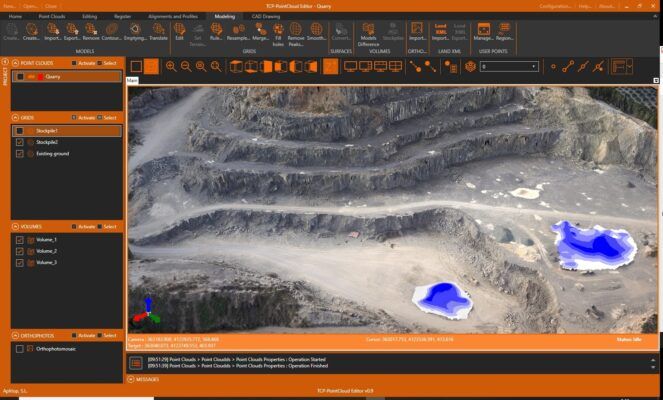
Standalone application that allows to display, edit and analyse clouds of millions of points captured by fixed or mobile scanners, LiDAR technology or generated by photogrammetry applications.
Point clouds can be imported in the most common formats on the market. Points can have attributes of color, intensity, time, and category, and be represented based on these properties. You can apply offsets, rotations, or transformations to clouds, as well as register them using control points.
You can also generate and analyze surfaces and grids, calculate profiles and volumes, draw with a simple CAD on the point cloud, etc. It offers multiple options for importing and exporting formats such as LandXML, IFC, DWG, 3D PDF, etc.
Valued customers:









Find RTK Networks
Search NTRIP providers and connect to reliable RTK correction services.
Description
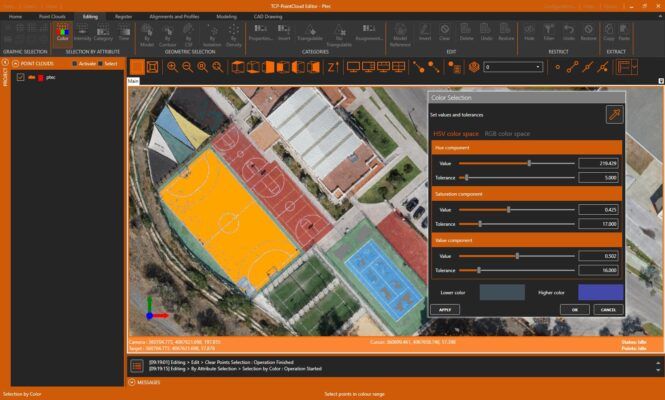
The applications had tools for graphical selection of points by window, polyline, sphere…. selection by attributes such as color, intensity or category make it possible to select a point and delete those that have similar properties. geometric selection allows you to filter points by density, insulation, model etc. The terrain filter help determine the points that belong to the terrain. The editing commands are applied to the selections of points, being able to delete, change in category, hide, extract them to a seperate window, etc.
Digital model
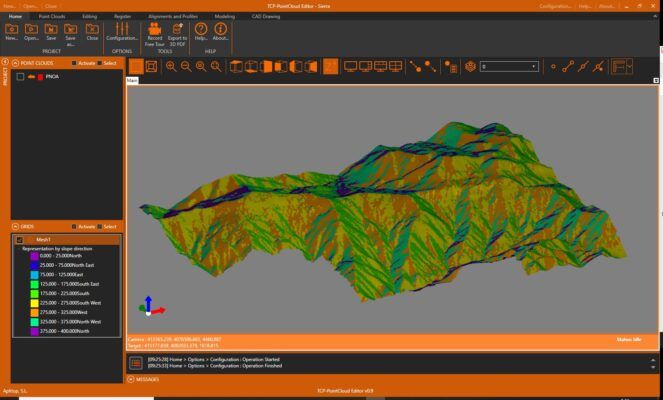
With the point cloud you can create a surface or mesh and generate the contour lines. The symbology of models can be based on their elevations, slopes, orientations, shading or orthophotos. Meshes can be edited interactively or apply smoothing Peak removal etc. You can also import and export surfaces and meshes.

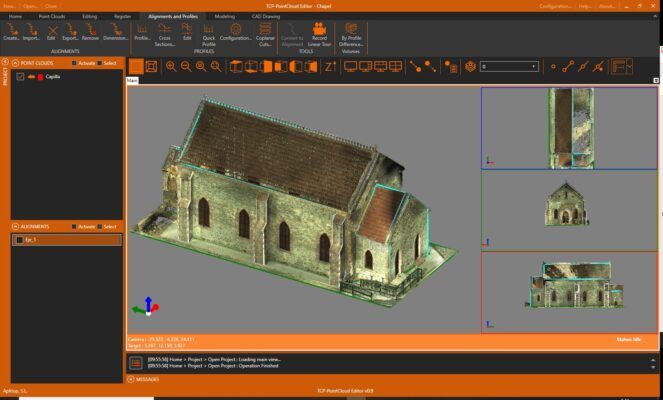
Tcp PointCloud editor has tools to import alignments in LandXML and IFC format and calculates a quick profile from the point clouds or the model. It is also possible to obtain a longitude profile and cross-sections along an alignment. top view sections are especially useful for BIM building projects. volumes of stockpiles defined by a polyline or layer can be quickly calculated, as well as surfaces and cut and fill volumes between models.
Utilities
Point cloud editor includes a simple Cad that allows you to draw on different layers, using as references the point cloud and other objects, and you can also import and export DXF and DWG files Points, models, alignments and drawings can be exported to 3D PDF and video having previously defined the route.
Datasheets & Manuals
Reviews (0)
Only logged in customers who have purchased this product may leave a review.
 GPS & GNSS
 Total Stations
 Data collectors
 Software
 Correction services
 Machine control
 External radio
 Marine
 Accessories
Reviews
There are no reviews yet